Reviews
Your graphics add a nice touch to my presentations and I recently used them for one of my all-hands meetings. Your toolbox adds professionalism to my slides. Instead of using standard clipart.
I needed a fresh look at some of my slides. I've tried to find a way to create a paintbrush effect, to underline, accentuate, add some color and the handwritten markers were just the things. Very easy to use, easy to size, change the color. It was an affordable, perfect solution and I'm happy to recommend it.
The crisp, clean look of the graphics, and the fact that it allowed me to easily edit and change the colors to match the template was my main reason for purchasing them.
Description
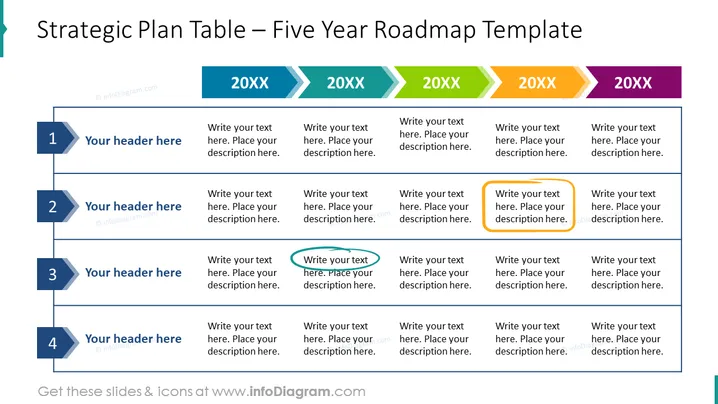
Strategic Plan Table – Five Year Roadmap Template
Slide Content: The slide presents a template for a strategic plan or roadmap laid out over five years. Each year is represented by a column with space for a year indicator, annotated as "20XX," and further subdivided into four rows for different strategic elements or focus areas. Each row has a dedicated space for a header and an accompanying description, allowing for detailed planning and tracking of initiatives over the multi-year period.
Graphical Look:
- A large, bold title is placed at the top of the slide in dark blue.
- A ribbon-like shape in light blue accentuates the left side of the slide, adding a design element.
- Five columns across the slide, each representing a year, with headers in alternating shades of green and purple.
- Four rows, each with a dark blue tab containing a white number ranging from 1 to 4, signify different strategic points or objectives.
- To the right of each number tab, there is a light blue header box for each strategic point with placeholder text, "Your header here".
- Below each header box, there is a larger white textbox placeholder for more extensive descriptions.
- The footer contains a website URL where additional slides and icons can be found, emphasized in a light blue strip.
The slide is designed with a clean and structured layout, incorporating both color-coded elements and clear text placeholders to delineate different categories and timeframes. The visual hierarchy is well-defined, guiding the viewer's eye through each section methodically.
Use Cases:
- To outline strategic objectives and milestones for different departments or projects within a company.
- For presenting a company's long-term vision and the phases of implementation to stakeholders or investors.
- As a visual aid during annual planning meetings to facilitate discussions about future initiatives and goals.
- To track progress and update the team during quarterly reviews on the status of the roadmap objectives.
How to Edit
How to edit text & colors

How to expand / shorten diagram

How to Replace Icons in infoDiagram PPT


