Reviews
Your graphics add a nice touch to my presentations and I recently used them for one of my all-hands meetings. Your toolbox adds professionalism to my slides. Instead of using standard clipart.
I needed a fresh look at some of my slides. I've tried to find a way to create a paintbrush effect, to underline, accentuate, add some color and the handwritten markers were just the things. Very easy to use, easy to size, change the color. It was an affordable, perfect solution and I'm happy to recommend it.
The crisp, clean look of the graphics, and the fact that it allowed me to easily edit and change the colors to match the template was my main reason for purchasing them.
Description
Roman Temple with Pillars Infographics Model (with titles)
Slide Content
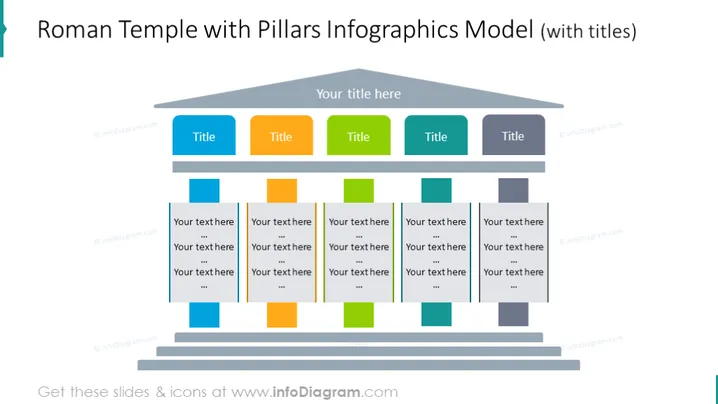
The PowerPoint slide is titled "Roman Temple with Pillars Infographics Model (with titles)". It features a stylized Roman temple structure that represents a multi-tiered model. The temple's roof serves as a space for a title, while each of the six pillars beneath represents a different segment or category with its own title, followed by customizable text fields beneath these titles, allowing for detailed descriptions or bullet points. This visual metaphor conveys the idea of foundational support and classical principles applied to the modern concept or structure.
Graphical Look
- The dominant image in the slide is a stylized, graphic representation of a Roman temple.
- The temple consists of a triangular pediment that is colored a light shade of gray, with space for a title.
- Below the pediment are six columns in bright colors: blue, orange, green, and different shades of blue-gray, each capped with a title placeholder.
- Each column has a stack of three text boxes where detailed information can be placed, with a harmonious color scheme correlating with the column's color.
- The graphic is three-dimensional with a shadow effect, giving a sense of depth to the temple illustration.
- The entire temple structure is set against a muted blue background that complements the color scheme of the temple and the slide's contents.
The slide has a clean, modern design with a creative use of color and geometry. The use of a classical structure to represent modern ideas creates an interesting visual metaphor.
Use Cases
- Illustrating the foundational elements of a business strategy or model, with each pillar representing a core component.
- Presenting an organization's structure or hierarchy, where each column symbolizes a different department or team.
- Explaining multiple aspects of a project plan or program, detailing how each contributes to the overall goal.
- Visualizing the relationship between different concepts, ideas, or elements in an educational presentation, fostering better understanding through metaphorical representation.
How to Edit
How to edit text & colors

How to expand / shorten diagram

How to Replace Icons in infoDiagram PPT


