Reviews
Your graphics add a nice touch to my presentations and I recently used them for one of my all-hands meetings. Your toolbox adds professionalism to my slides. Instead of using standard clipart.
I needed a fresh look at some of my slides. I've tried to find a way to create a paintbrush effect, to underline, accentuate, add some color and the handwritten markers were just the things. Very easy to use, easy to size, change the color. It was an affordable, perfect solution and I'm happy to recommend it.
The crisp, clean look of the graphics, and the fact that it allowed me to easily edit and change the colors to match the template was my main reason for purchasing them.
Description
Legal Information Template 1
Slide Content
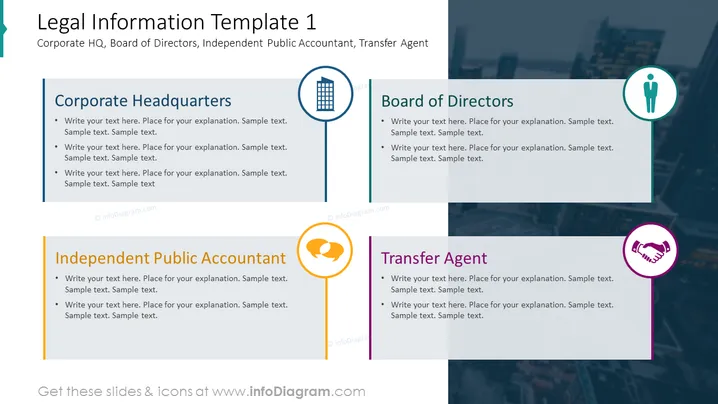
The PowerPoint slide titled "Legal Information Template 1" is aimed at capturing key legal details, featuring sections for a corporation's headquarters, board of directors, an independent public accountant, and a transfer agent. Each section suggests a space to write explanatory text. The corporate headquarters section might include the company’s primary address and a description of the main office. Next, the board of directors section could outline the roles and responsibilities of the board members. The independent public accountant part implies where to detail the auditor’s activities and qualifications. Lastly, the transfer agent section indicates a place to delineate the entity handling security transactions and related record keeping.
Graphical Look
- The slide has a clear, split structure with four separate blocks.
- Each block contains a title, a symbolic icon on a circular badge, and bullet points for text.
- The blocks are respectively colored blue, green, yellow, and purple, which helps to differentiate between them.
- The icons include an office building for Corporate Headquarters, a single figure to represent the Board of Directors, a speech bubble with a verification check for the Independent Public Accountant, and a handshake for the Transfer Agent.
- The font appears professional and is easy to read against the clean white background of the text boxes.
- A semi-transparent overlay with a cityscape can be seen in the background, spanning the entire slide.
The slide presents a professional, organized look suitable for formal presentations. The usage of icons helps to visually categorize the information, making it easier to navigate.
Use Cases
- To present company legal structure and essential contacts during investor relations meetings.
- For onboarding new employees or partners to provide an overview of the company's governance and operations.
- In annual general meetings to summarize the roles of various entities involved in the company's management and oversight.
- During compliance training or certification processes to outline the company's legal infrastructure.
How to Edit
How to edit text & colors

How to expand / shorten diagram

How to Replace Icons in infoDiagram PPT


