

Your graphics add a nice touch to my presentations and I recently used them for one of my all-hands meetings. Your toolbox adds professionalism to my slides. Instead of using standard clipart.
Claude Jones, Director of Engineer, @Walmartlabs, USA

Your graphics add a nice touch to my presentations and I recently used them for one of my all-hands meetings. Your toolbox adds professionalism to my slides. Instead of using standard clipart.
Claude Jones, Director of Engineer, @Walmartlabs, USA
I needed a fresh look at some of my slides. I've tried to find a way to create a paintbrush effect, to underline, accentuate, add some color and the handwritten markers were just the things. Very easy to use, easy to size, change the color. It was an affordable, perfect solution and I'm happy to recommend it.
Anonymous, US
The crisp, clean look of the graphics, and the fact that it allowed me to easily edit and change the colors to match the template was my main reason for purchasing them.
Brandie Jenkins, E-learning Developer, USA
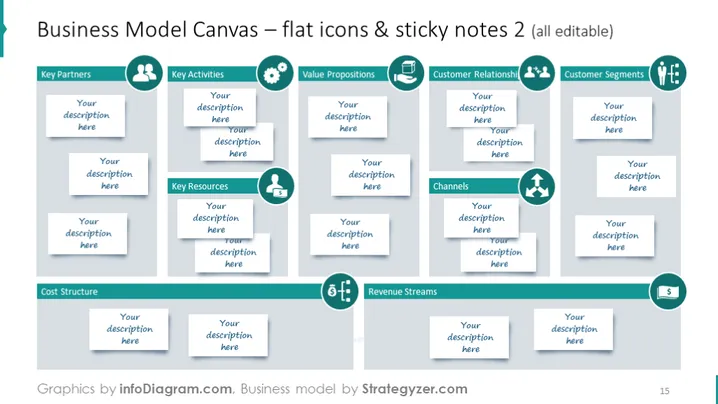
The slide provides a comprehensive template for a Business Model Canvas, a strategic management tool for developing new or documenting existing business models. It features sections for Key Partners, Key Activities, Value Propositions, Customer Relationships, Customer Segments, Channels, Key Resources, Cost Structure, and Revenue Streams. Each section has editable sticky notes for adding descriptions, making it an interactive tool for detailing the building blocks of a business model.
The overall design is clean, organized, and functional, with a color-coded scheme that differentiates each section of the business model canvas. Icons are simple and representative of each business element.



