Reviews
Ihre Grafiken verleihen meinen Präsentationen eine nette Note, und ich habe sie kürzlich für eines meiner All-Hands-Meetings verwendet. Ihre Toolbox verleiht meinen Folien Professionalität, anstatt Standard-Clipart zu verwenden.
Ich brauchte einen neuen Blick auf einige meiner Folien. Ich habe versucht, einen Weg zu finden, einen Pinselschlag-Effekt zu erzielen, um zu unterstreichen, hervorzuheben, Farbe hinzuzufügen, und die handgeschriebenen Markierungen waren genau das Richtige. Sehr einfach zu bedienen, leicht in der Größe zu ändern, die Farbe zu ändern. Es war eine erschwingliche, perfekte Lösung und ich empfehle sie gerne weiter.
Die klare, saubere Optik der Grafiken und die Tatsache, dass ich die Farben leicht bearbeiten und an die Vorlage anpassen konnte, war mein Hauptgrund für den Kauf.
Description
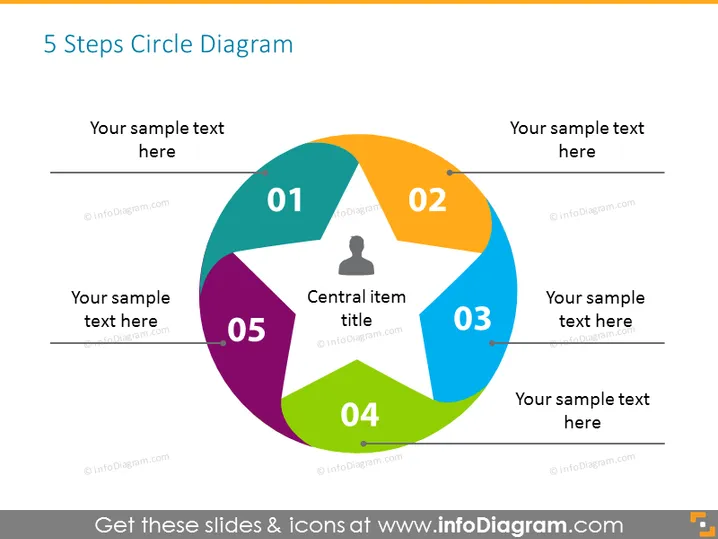
5 Steps Circle Diagram
Slide Content
The slide presents a circular process diagram with five distinct segments, labeled from 01 to 05, each representing a step in a cycle. The central area has a placeholder for the "Central item title", suggesting a focal concept or the core of the process. Each step has space for a brief description, indicating potential customization for specific topics or stages. This format implies a continuous process or a system where one phase transitions smoothly to the next.
Graphical Look
- A large circular diagram dominates the slide, composed of five connected pie-like segments.
- Each segment is a different color (violet, blue, green, orange, and purple) and is numbered from 01 to 05, indicating a sequence.
- Inside the circle, there is a smaller, circular neutral area with text "Central item title".
- Around the circular diagram, there are placeholders for text next to each segment, where more detailed information can be added.
- A simplistic icon of a person is located in the segment labeled "02", which may represent a user or stakeholder.
- The design uses flat colors and minimalistic styling, giving the slide a modern and clean look.
The slide’s design is sleek and professional with a contemporary color palette. The information is arranged in a user-friendly layout, providing a clear visual representation of a cyclical process or steps.
Use Cases
- To illustrate a five-step business process or workflow in a corporate presentation.
- As a framework in training materials to outline a sequence of actions.
- In marketing materials to showcase stages in a customer lifecycle or product development.
- To summarize findings or recommendations in a report, where each point corresponds to a part of the overall strategy.
How to Edit
How to edit text & colors

How to expand / shorten diagram

How to Replace Icons in infoDiagram PPT


