Reviews
Ihre Grafiken verleihen meinen Präsentationen eine nette Note, und ich habe sie kürzlich für eines meiner All-Hands-Meetings verwendet. Ihre Toolbox verleiht meinen Folien Professionalität, anstatt Standard-Clipart zu verwenden.
Ich brauchte einen neuen Blick auf einige meiner Folien. Ich habe versucht, einen Weg zu finden, einen Pinselschlag-Effekt zu erzielen, um zu unterstreichen, hervorzuheben, Farbe hinzuzufügen, und die handgeschriebenen Markierungen waren genau das Richtige. Sehr einfach zu bedienen, leicht in der Größe zu ändern, die Farbe zu ändern. Es war eine erschwingliche, perfekte Lösung und ich empfehle sie gerne weiter.
Die klare, saubere Optik der Grafiken und die Tatsache, dass ich die Farben leicht bearbeiten und an die Vorlage anpassen konnte, war mein Hauptgrund für den Kauf.
Description
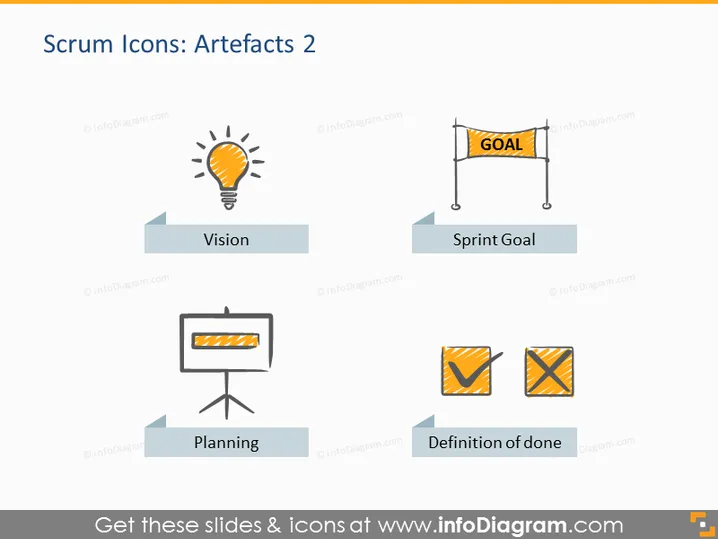
Scrum Icons: Artefacts 2
Slide Content
The slide represents various Scrum artifacts through iconic representations and labels. "Vision" is symbolized by a light bulb, denoting the broad, overarching goals or ideas that drive a project. "Sprint Goal" is depicted with a finish line banner reading "GOAL," representing the specific objectives a team aims to achieve during a Sprint. "Planning" is illustrated by a flip chart, indicating the process of strategizing and determining the workflow. "Definition of done" showcases check marks, signifying the criteria that determine when tasks are considered complete.
Graphical Look
- The slide uses a flat design with a minimalist style and pastel color palette.
- Four icons are depicted, each with a corresponding label below it.
- The icons are arranged in a grid pattern, two on the top row and two on the bottom row.
- Each icon is placed on a light-colored background panel with a small shadow, giving it a slight 3D effect.
- The icons are stylized and simple, reflecting the theme of each Scrum artifact.
- The labels are written in all caps and are centered below each icon on a darker banner, providing a contrast that facilitates readability.
The overall look of the slide is clean and modern, with a clear layout that is easy to understand at a glance. The use of icons and contrasting text banners makes it visually appealing and effective for conveying the concepts succinctly.
Use Cases
- To introduce Scrum artifacts in a training session for new agile team members.
- As a visual reference in an agile or Scrum workshop to explain the key components of the framework.
- Within a project kickoff meeting to align team members on the Scrum methodology.
- During a retrospective to review the usage and importance of each artifact in the Scrum process.
How to Edit
How to edit text & colors

How to expand / shorten diagram

How to Replace Icons in infoDiagram PPT


