Reviews
Your graphics add a nice touch to my presentations and I recently used them for one of my all-hands meetings. Your toolbox adds professionalism to my slides. Instead of using standard clipart.
I needed a fresh look at some of my slides. I've tried to find a way to create a paintbrush effect, to underline, accentuate, add some color and the handwritten markers were just the things. Very easy to use, easy to size, change the color. It was an affordable, perfect solution and I'm happy to recommend it.
The crisp, clean look of the graphics, and the fact that it allowed me to easily edit and change the colors to match the template was my main reason for purchasing them.
Description
Slide Title
Slide Content
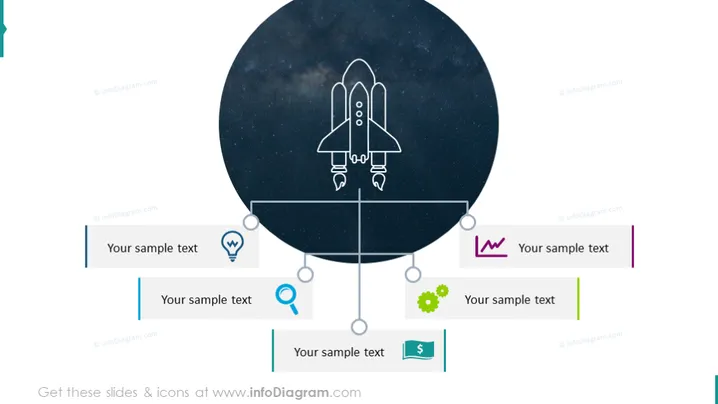
The PowerPoint slide displays a centralized graphical representation of a rocket, surrounded by four nodes, each connected by lines to the image of the rocket, signifying a relationship or process flow. Each node contains an icon and a placeholder labeled "Your sample text," which can be customized with specific information. The icons include a lightbulb, a magnifying glass, a heartbeat or pulse, and a gear. These likely symbolize ideas or innovation, search or analysis, health or performance monitoring, and work or mechanics respectively; signifying diverse aspects of a project or topic.
Graphical Look
- A large circular graphic with a dark star-filled space background and a stylized white outline of a rocket taking off, placed at the center of the slide.
- Four rectangular text boxes evenly distributed around the circular graphic, each with a unique color line on the left side of the box.
- Each text box has an associated icon to its left side: a lightbulb, a magnifying glass, a heartbeat symbol, and a gear, suggesting thematic categorization.
- Thin lines with multiple circular nodes connect the icons to the central circular graphic, implying a process or a relationship.
- The slide's background is plain white, allowing the central graphic and nodes to stand out.
The PowerPoint slide has a modern and clean design with a central focus on a large circular image that draws attention to the theme of launching or growth. The icons are simple and clean, consistent with the overall minimalistic design of the slide.
Use Cases
- Presenting the core components of a new business venture or startup.
- Explaining the different phases of a project launch or product release.
- Visualizing the key areas of focus in a strategic plan or initiative.
- Showcasing how different teams or units contribute to a central goal or mission.
How to Edit
How to edit text & colors

How to expand / shorten diagram

How to Replace Icons in infoDiagram PPT


