Reviews
Deine Folien sind meine 'geheime Zutat', wenn es darum geht, meine Ideen Kunden zu visualisieren. Ich spare so viel Zeit.
Ihre Folien führen oft zu guten Kommentaren und Ideen meines Teams, die die endgültigen Folien verbessern.
Description
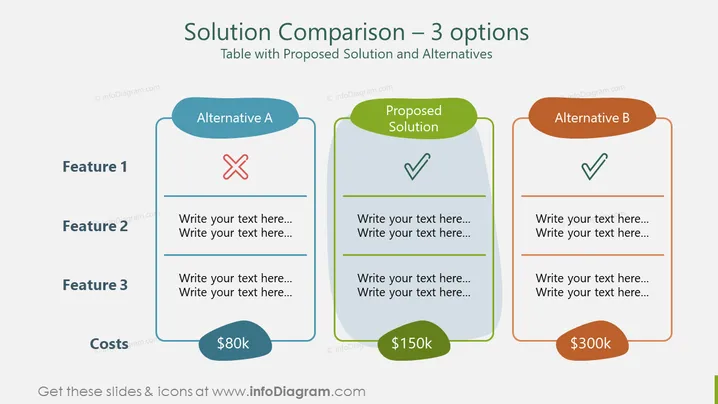
Solution Comparison – 3 Options
Slide Content
The PowerPoint slide presents a three-way comparison of different solutions, designated as Alternative A, the Proposed Solution, and Alternative B. Each solution is evaluated against three features, with checkmarks or crosses indicating if a feature is present or absent. The costs are also compared, escalating from $80k for Alternative A, to $150k for the Proposed Solution, and $300k for Alternative B, illustrating a direct correlation between the number of features and cost.
Graphical Look
- Three comparison tables with rounded corners, centrally aligned, showcasing three different solutions.
- Color-coded headers: blue for Alternative A, green for Proposed Solution, and orange for Alternative B.
- Checkmarks (✓) and cross marks (✗) within the tables indicate whether each feature is met or not.
- Cost is displayed at the bottom of each table in a matching color tag with curved edges.
- The slide background is white, highlighting the comparison tables. The slide has a clean and balanced layout with a color-coded scheme to differentiate between the solutions easily. It employs a simple design, which makes the comparison straightforward and visually engaging.
Use Cases
- Showcasing project proposals with varying levels of investment and features to stakeholders.
- Comparing service plans or packages to customers.
- Internal team meetings to evaluate the cost-effectiveness of different project approaches.
- Marketing presentations to highlight the value proposition of different product tiers.
How to Edit
How to edit text & colors

How to expand / shorten diagram

How to Replace Icons in infoDiagram PPT


