Reviews
Ihre Grafiken verleihen meinen Präsentationen eine nette Note, und ich habe sie kürzlich für eines meiner All-Hands-Meetings verwendet. Ihre Toolbox verleiht meinen Folien Professionalität, anstatt Standard-Clipart zu verwenden.
Ich brauchte einen neuen Blick auf einige meiner Folien. Ich habe versucht, einen Weg zu finden, einen Pinselschlag-Effekt zu erzielen, um zu unterstreichen, hervorzuheben, Farbe hinzuzufügen, und die handgeschriebenen Markierungen waren genau das Richtige. Sehr einfach zu bedienen, leicht in der Größe zu ändern, die Farbe zu ändern. Es war eine erschwingliche, perfekte Lösung und ich empfehle sie gerne weiter.
Die klare, saubere Optik der Grafiken und die Tatsache, dass ich die Farben leicht bearbeiten und an die Vorlage anpassen konnte, war mein Hauptgrund für den Kauf.
Description
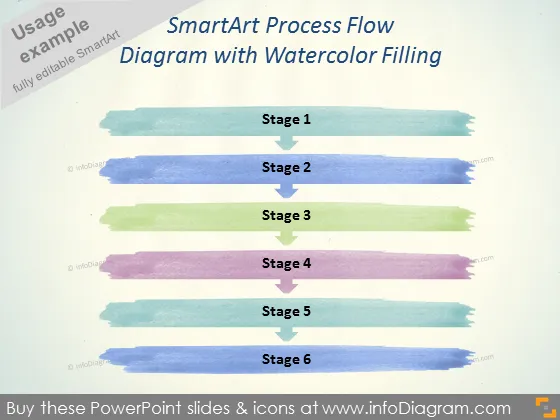
SmartArt Process Flow Diagram with Watercolor Filling
Slide Content
The PowerPoint slide showcases a process flow diagram with a creative watercolor filling design. It's presented in 6 stages, each represented by a distinct color and labeled from Stage 1 to Stage 6. This artistic representation may suggest a more organic or dynamic process, potentially capturing stages of project development, steps in a workflow, or phases of an operation. Each stage appears to be painted with a watercolor brush, blending the structured nature of a process flow with a fluid, artistic aesthetic.
Graphical Look
- The slide background is a faint shade, possibly meant to resemble textured paper.
- Each of the six stages is depicted as a horizontal brushstroke, with a watercolor effect in different colors.
- The colors range from a cool blue for Stage 1, through green, to warmer colors like purple for Stage 4.
- Centered above each colored brushstroke is the text "Stage" followed by the stage number, from 1 to 6.
- The text is in a bold, easy-to-read font, contrasting with the lighter background for readability.
- There are no other icons or shapes, which emphasizes the simplicity and artistic look of the slide.
The slide has an artistic and modern aesthetic, with its watercolor effect giving it a creative edge over more traditional corporate slide designs. The brushstrokes are neatly arranged, suggesting a progression or flow from one stage to the next.
Use Cases
- To present a business process or workflow in a more visually engaging and less formal manner.
- In creative industries, such as marketing or design, to illustrate stages of project development or creative process flows.
- For educational purposes to make information processing more engaging for students or workshop participants.
- As an agenda or roadmap slide in a presentation to outline the steps or phases of a project in a visually appealing way.
How to Edit
How to edit text & colors

How to expand / shorten diagram

How to Replace Icons in infoDiagram PPT


