Reviews
Your graphics add a nice touch to my presentations and I recently used them for one of my all-hands meetings. Your toolbox adds professionalism to my slides. Instead of using standard clipart.
I needed a fresh look at some of my slides. I've tried to find a way to create a paintbrush effect, to underline, accentuate, add some color and the handwritten markers were just the things. Very easy to use, easy to size, change the color. It was an affordable, perfect solution and I'm happy to recommend it.
The crisp, clean look of the graphics, and the fact that it allowed me to easily edit and change the colors to match the template was my main reason for purchasing them.
Description
Smart Working Initiatives Introduced
Slide Content
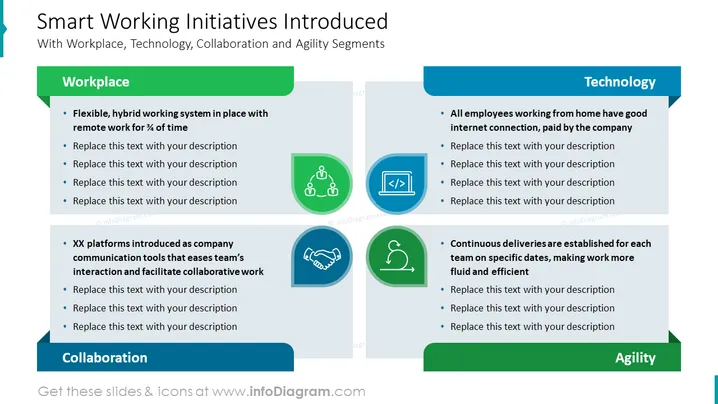
The PowerPoint slide titled "Smart Working Initiatives Introduced" discusses key strategies for improving workplace efficiency and adaptability by segmenting them into Workplace, Technology, and Collaboration. For instance, under Workplace, it suggests a flexible, hybrid system allowing remote work ¾ of the time. Under Technology, it notes that all employees working from home should have a good internet connection funded by the company. The Collaboration section mentions the introduction of XX platforms as company communication tools that facilitate team interaction and collaborative work. Lastly, under Agility, it emphasizes continuous delivery established for each team on specific dates to make work more fluid and efficient.
Graphical Look
- The slide has a clean, professional design with a white background and four distinct sections labeled Workplace, Technology, Collaboration, and Agility.
- Each section is represented by a colored horizontal bar (green, blue, darker green, and teal, respectively) with a corresponding title.
- Below each title bar, there are bullet points with brief explanations and placeholders for additional text.
- Accompanying icons are placed beside the bullet points: a people network icon for Collaboration, a monitor icon for Technology, a handshake icon for Agility, and another network icon for Workplace.
- Each icon is encircled, shaded, and matched to the color of the section it represents, creating a cohesive color scheme.
The slide features a balanced mix of text and visuals, with a consistent layout and complementary color palette that clearly categorizes information into segments.
Use Cases
- To present remote work policies and support systems within a company.
- During strategic meetings discussing organizational change towards more agile and collaborative practices.
- As part of a human resources presentation on employee engagement and teamwork tools.
- To showcase a company’s technology infrastructure improvements when transitioning to a hybrid work model.
How to Edit
How to edit text & colors

How to expand / shorten diagram

How to Replace Icons in infoDiagram PPT


