Reviews
Sus gráficos añaden un toque agradable a mis presentaciones y recientemente los usé para una de mis reuniones generales. Su conjunto de herramientas añade profesionalismo a mis diapositivas. En lugar de usar imágenes prediseñadas estándar.
Necesitaba un aspecto fresco para algunas de mis diapositivas. Había intentado encontrar una forma de crear un efecto de pincel, de subrayar, acentuar, añadir algo de color y los marcadores escritos a mano fueron justo lo que necesitaba. Muy fácil de usar, fácil de ajustar el tamaño, cambiar el color. Fue una solución asequible y perfecta, y estoy feliz de recomendarla.
El aspecto nítido y limpio de los gráficos, y el hecho de que me permitiera editar y cambiar fácilmente los colores para que coincidieran con la plantilla fue mi principal razón para comprarlos.
Description
Smart devices & appliances
Slide Content
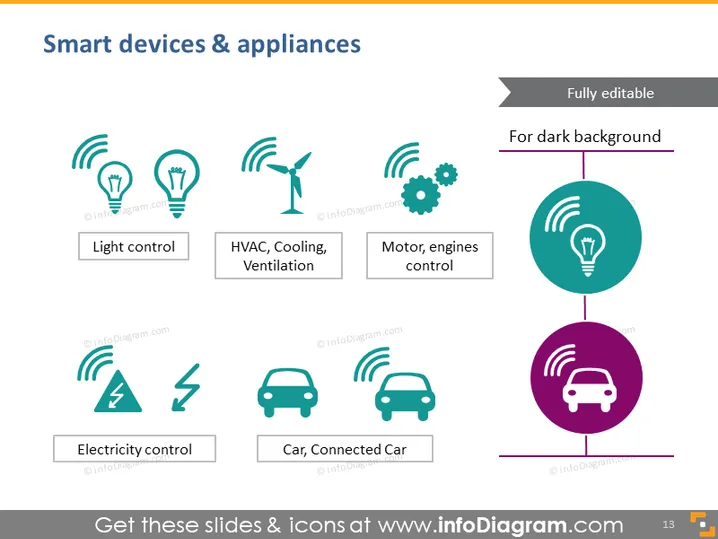
The slide is titled "Smart devices & appliances" and outlines various categories of smart technology. "Light control" represents systems that manage lighting automatically or remotely. "HVAC, Cooling, Ventilation" refers to smart systems that control climate within buildings. "Motor, engines control" implies the automated or remote management of machinery. "Electricity control" points to systems that optimize electrical flow and usage. Lastly, "Car, Connected Car" suggests the integration of smart technology in vehicles for enhanced functionality.
Graphical Look
- Title "Smart devices & appliances" is at the top in large, bold text.
- Six icons with labels underneath, arranged in two rows with three columns each.
- The icons depict, from left to right, top to bottom: light bulbs with Wi-Fi signals for "Light control," a fan for "HVAC, Cooling, Ventilation," gears with a Wi-Fi signal for "Motor, engines control," a lightning bolt for "Electricity control," and a car with a Wi-Fi signal for both "Car" and "Connected Car."
- Each icon is in a teal color, having a subtle shadow, and surrounded by a Wi-Fi signal symbol which conveys connectivity.
- A large circular shape divides the slide diagonally, dark teal at the top right, fading into purple at the bottom left.
- Each label is inside a rectangle with rounded corners, matching the icon color.
- Slide number "13" is present in the bottom right corner in a small, discrete box.
The overall look is modern and clean, utilizing a color gradient to separate content visually. The icons are simple and easily recognizable, facilitating quick understanding of the topics covered on the slide.
Use Cases
- Presenting an overview of smart home or building automation technologies in an industry conference.
- Introducing product categories in a sales pitch for a company specializing in smart devices.
- Providing an educational breakdown of different IoT (Internet Things) devices in a training or educational setting.
- Discussing future trends in technology and the expansion of smart devices in market analysis meetings.
How to Edit
How to edit text & colors

How to expand / shorten diagram

How to Replace Icons in infoDiagram PPT


