Reviews
Your graphics add a nice touch to my presentations and I recently used them for one of my all-hands meetings. Your toolbox adds professionalism to my slides. Instead of using standard clipart.
I needed a fresh look at some of my slides. I've tried to find a way to create a paintbrush effect, to underline, accentuate, add some color and the handwritten markers were just the things. Very easy to use, easy to size, change the color. It was an affordable, perfect solution and I'm happy to recommend it.
The crisp, clean look of the graphics, and the fact that it allowed me to easily edit and change the colors to match the template was my main reason for purchasing them.
Description
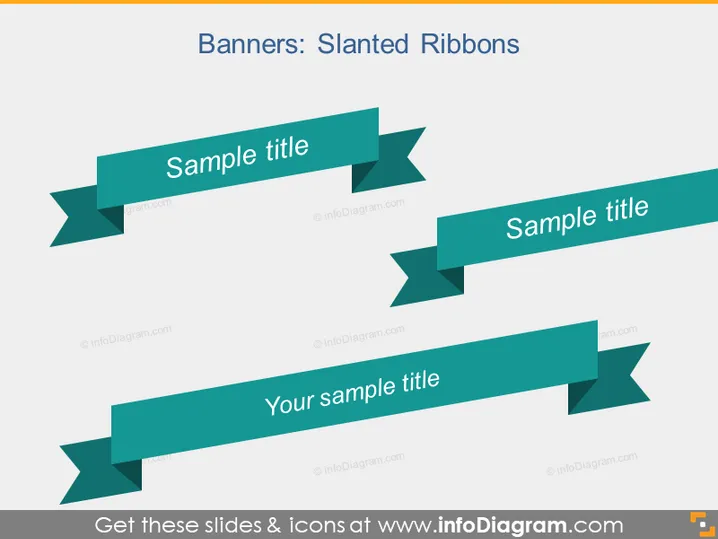
Banners: Slanted Ribbons
Slide Content
The PowerPoint slide titled "Banners: Slanted Ribbons" showcases three variations of banner designs which can be used for highlighting titles or important information. Each banner, depicted as a stylized ribbon with two tails, features text placeholders labeled "Sample title" or "Your sample title," suggesting that these graphics serve the purpose of drawing attention and can be customized with specific titles or key points.
Graphical Look
- Three overlapping slanted ribbon banners with different angles and positions on the slide.
- Each ribbon banner is a shade of teal/turquoise and contains a white text label.
- The ribbons have a distinct shadow effect giving them a 3D appearance and adding depth to the design.
- The slide background is a light grey, making the teal ribbons stand out significantly.
The slide presents a combination of text and visual elements in a clean and modern design. The color contrast is strong, and the shadow effect on the ribbons creates an impression of three-dimensionality.
Use Cases
- Highlighting key points or titles in a business presentation to draw attention to specific pieces of information.
- Labeling parts of an infographic or a diagram to provide a layer of organization and focus.
- Creating section headers in a lengthy presentation to clearly denote different topics or chapters.
- Emphasizing product features or services in a marketing or sales pitch to potential clients.
How to Edit
How to edit text & colors

How to expand / shorten diagram

How to Replace Icons in infoDiagram PPT


