Reviews
Ihre Grafiken verleihen meinen Präsentationen eine nette Note, und ich habe sie kürzlich für eines meiner All-Hands-Meetings verwendet. Ihre Toolbox verleiht meinen Folien Professionalität, anstatt Standard-Clipart zu verwenden.
Ich brauchte einen neuen Blick auf einige meiner Folien. Ich habe versucht, einen Weg zu finden, einen Pinselschlag-Effekt zu erzielen, um zu unterstreichen, hervorzuheben, Farbe hinzuzufügen, und die handgeschriebenen Markierungen waren genau das Richtige. Sehr einfach zu bedienen, leicht in der Größe zu ändern, die Farbe zu ändern. Es war eine erschwingliche, perfekte Lösung und ich empfehle sie gerne weiter.
Die klare, saubere Optik der Grafiken und die Tatsache, dass ich die Farben leicht bearbeiten und an die Vorlage anpassen konnte, war mein Hauptgrund für den Kauf.
Description
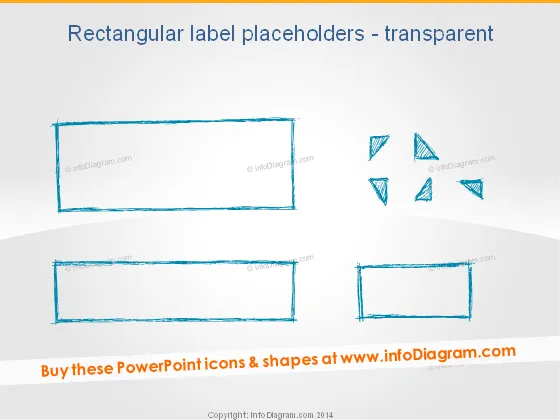
Rectangular label placeholders - transparent
Slide Content
The PowerPoint slide is titled "Rectangular label placeholders - transparent". It features graphical elements that serve as placeholders for text or other content. These elements are designed to look like transparent, roughly sketched rectangles, suggesting a place to insert information without a solid background. Their sketch-like appearance gives a creative and informal impression, which can be used to bring a sense of informality or brainstorming to a presentation.
Graphical Look
- The slide has a plain white background.
- There are two large rectangular shapes and one smaller rectangle with a sketch-like, hand-drawn appearance.
- These rectangles are illustrated with a rough, dashed outline, and they have a transparent fill.
- On the right side of the slide, there are small triangular shapes arranged in a circular pattern.
- The rectangles and triangles have a turquoise, watercolor-like texture.
- The larger rectangles are placed at the top and bottom, while the smaller one is on the bottom right.
The slide has a minimalist and artistic feel, using transparent, sketched shapes to create a creative and informal aesthetic.
Use Cases
- Displaying key points or topics during a brainstorming session to keep ideas organized and visible.
- Highlighting quotes or testimonials in a presentation without the distraction of a solid background.
- Creating an agenda or outline where each rectangular placeholder represents a different section or topic.
- Using as a template for an informal or creative presentation to add a touch of personality and uniqueness.
How to Edit
How to edit text & colors

How to expand / shorten diagram

How to Replace Icons in infoDiagram PPT


