Reviews
Your graphics add a nice touch to my presentations and I recently used them for one of my all-hands meetings. Your toolbox adds professionalism to my slides. Instead of using standard clipart.
I needed a fresh look at some of my slides. I've tried to find a way to create a paintbrush effect, to underline, accentuate, add some color and the handwritten markers were just the things. Very easy to use, easy to size, change the color. It was an affordable, perfect solution and I'm happy to recommend it.
The crisp, clean look of the graphics, and the fact that it allowed me to easily edit and change the colors to match the template was my main reason for purchasing them.
Description
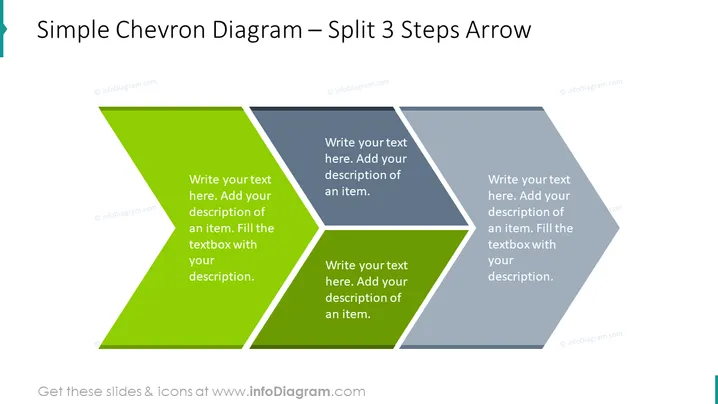
Simple Chevron Diagram – Split 3 Steps Arrow
Slide Content
The slide displays a three-part chevron diagram, showcasing a process split into three distinct steps. Each chevron segment contains a placeholder for text, inviting the presenter to elaborate on each step's specifics. This type of visual is often used to describe consecutive stages in a process, a three-part strategy, or milestones in a project timeline, breaking down complex information into digestible sequences which makes it easier for the audience to follow.
Graphical Look
- The slide has a large, split chevron arrow graphic, which dominates the visual space.
- Each chevron segment is in a different shade of green or grey, creating a sense of progression or sequence.
- The first and third segments are green, while the middle segment is grey, providing a visual contrast and focal point.
- Each segment of the chevron has a text placeholder with prompt text, "Write your text here. Add your description of an item. Fill the textbox with your description."
- The chevron arrow graphic is angled diagonally, starting from the bottom left, going upwards to the top right corner of the slide.
- The background of the slide is plain and white, making the chevron graphic stand out.
- There is a light shadow effect beneath the chevron arrow, giving it a slight 3D appearance and depth.
The overall look of the slide is clean and modern, with a professional color scheme. The split chevron design is visually appealing and directs the viewer's gaze across the slide following the arrow's direction.
Use Cases
- To illustrate a step-by-step process during a company's departmental meeting or internal training.
- For presenting project phases or milestones in a business or project management presentation.
- In a marketing strategy presentation to outline different campaign stages.
- During a sales pitch to demonstrate the progression of a customer journey or the phases of a service roll-out.
How to Edit
How to edit text & colors

How to expand / shorten diagram

How to Replace Icons in infoDiagram PPT


