Reviews
Your graphics add a nice touch to my presentations and I recently used them for one of my all-hands meetings. Your toolbox adds professionalism to my slides. Instead of using standard clipart.
I needed a fresh look at some of my slides. I've tried to find a way to create a paintbrush effect, to underline, accentuate, add some color and the handwritten markers were just the things. Very easy to use, easy to size, change the color. It was an affordable, perfect solution and I'm happy to recommend it.
The crisp, clean look of the graphics, and the fact that it allowed me to easily edit and change the colors to match the template was my main reason for purchasing them.
Description
SQUARE RIBBON – INVEST
Slide Content
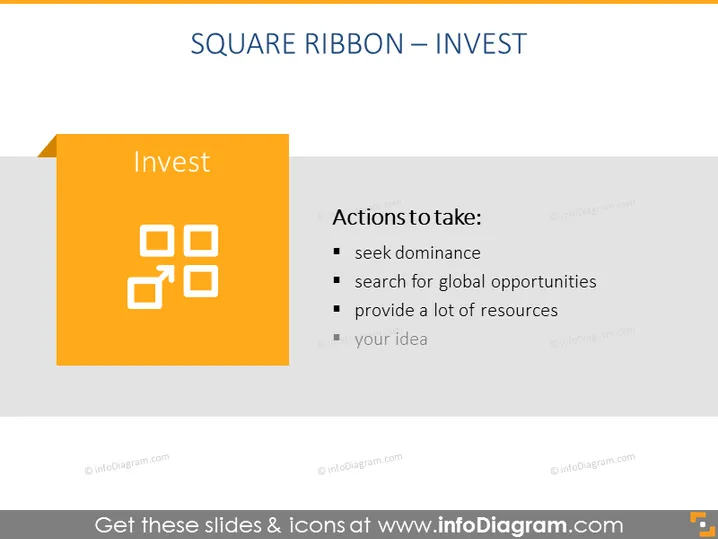
The PowerPoint slide titled "SQUARE RIBBON – INVEST" focuses on strategic actions to take in an investment context. The slide suggests that one should "seek dominance," probably implying that investments should aim for a significant presence or control within a market or sector. It also advises to "search for global opportunities," indicating the importance of looking beyond local markets for investment prospects. Finally, it mentions to "provide a lot of resources," which likely means allocating substantial capital or other resources to support the investment. Additionally, "grow your idea" encourages the nurturing and development of investment initiatives to achieve growth.
Graphical Look
- The slide has a clean, modern design with a gray background.
- In the top left, the slide title is set in large, black text.
- On the left side, a prominent orange square features the word "Invest", with a white icon of connected squares implying networking or structure.
- Next to the orange square, a vertical, smaller gray ribbon extends to the slide's left edge, creating a layered effect.
- The right side of the slide lists "Actions to take:" with four bullet points in a clear and readable black font.
- Each bullet point begins with a bolded, black square, followed by an action described in black text.
- The text and icons are balanced with plenty of white space, ensuring the slide does not appear cluttered.
The slide has an uncomplicated and straightforward layout, with a balanced mix of text and graphics that clearly convey its message without being visually overwhelming.
Use Cases
- During a business strategy presentation to outline investment-focused actions and priorities.
- In a financial planning meeting to guide discussions on market expansion and resource allocation.
- Within an investor pitch to communicate key strategic steps for using capital effectively.
- For educational seminars or workshops focusing on investment strategies and growth plans.
How to Edit
How to edit text & colors

How to expand / shorten diagram

How to Replace Icons in infoDiagram PPT


