Reviews
Your graphics add a nice touch to my presentations and I recently used them for one of my all-hands meetings. Your toolbox adds professionalism to my slides. Instead of using standard clipart.
I needed a fresh look at some of my slides. I've tried to find a way to create a paintbrush effect, to underline, accentuate, add some color and the handwritten markers were just the things. Very easy to use, easy to size, change the color. It was an affordable, perfect solution and I'm happy to recommend it.
The crisp, clean look of the graphics, and the fact that it allowed me to easily edit and change the colors to match the template was my main reason for purchasing them.
Description
SQUARE RIBBON – SELECT
Slide Content
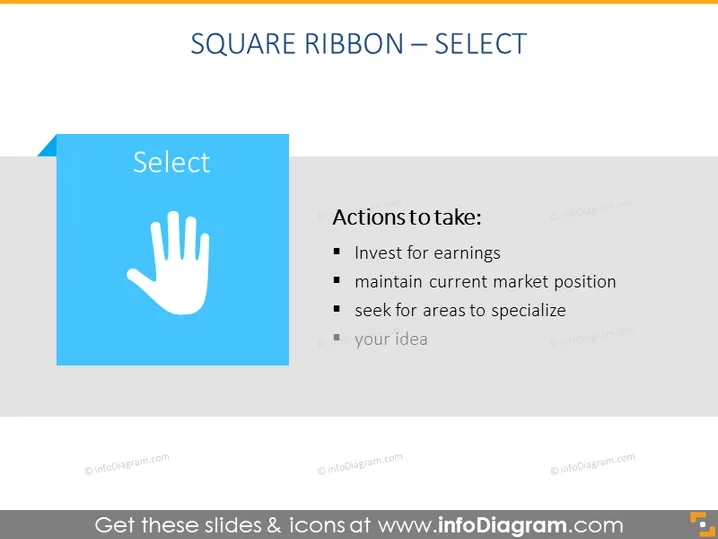
The PowerPoint slide is titled "SQUARE RIBBON – SELECT" and discusses strategic actions to take. "Invest for earnings" implies allocating resources to increase profit. "Maintain current market position" suggests securing a stable place in the market. Lastly, "seek for areas to specialize" encourages finding niche areas for expertise to gain a competitive edge. There is also a placeholder "your idea" indicating additional points can be added.
Graphical Look
- The slide title "SQUARE RIBBON – SELECT" is at the top in wide, capitalized font.
- A large blue square with a white ribbon edge appears on the left containing the word "Select".
- A white handprint icon is centered within the blue square.
- To the right of the blue square is a vertical list titled "Actions to take:" with three bullet points.
- The bullet points are followed by a grey placeholder that says "your idea".
- A faded dark text overlay on a light background makes up the rest of the slide.
The slide has a minimalistic design with a blue and white color scheme that emphasizes the selection concept with its handprint icon. The text is clear and easy to read, making the intended actions stand out.
Use Cases
- Presenting strategic business decisions in board meetings or strategy sessions.
- Summarizing action items during project planning or progress review discussions.
- Introducing steps for a specific process in a training or educational workshop.
- Brainstorming sessions where the team can contribute additional ideas to the "your idea" bullet point.
How to Edit
How to edit text & colors

How to expand / shorten diagram

How to Replace Icons in infoDiagram PPT


