Reviews
Sus gráficos añaden un toque agradable a mis presentaciones y recientemente los usé para una de mis reuniones generales. Su conjunto de herramientas añade profesionalismo a mis diapositivas. En lugar de usar imágenes prediseñadas estándar.
Necesitaba un aspecto fresco para algunas de mis diapositivas. Había intentado encontrar una forma de crear un efecto de pincel, de subrayar, acentuar, añadir algo de color y los marcadores escritos a mano fueron justo lo que necesitaba. Muy fácil de usar, fácil de ajustar el tamaño, cambiar el color. Fue una solución asequible y perfecta, y estoy feliz de recomendarla.
El aspecto nítido y limpio de los gráficos, y el hecho de que me permitiera editar y cambiar fácilmente los colores para que coincidieran con la plantilla fue mi principal razón para comprarlos.
Description
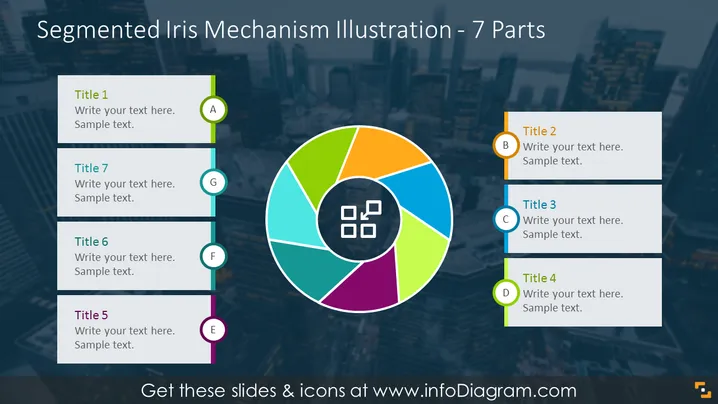
Segmented Iris Mechanism Illustration - 7 Parts
Slide Content
The PowerPoint slide titled "Segmented Iris Mechanism Illustration - 7 Parts" features an iris-style diagram at the center, with seven colorful segments corresponding to titles and text boxes arranged around it. Each title, from Title 1 to Title 7, is followed by placeholder text, suggesting where the presenter should insert their content. The titles are labeled from A to G, denoting each segment of the iris mechanism diagram, allowing for an organized presentation of interrelated topics or steps in a process.
Graphical Look
- The central iris diagram is composed of seven vibrant segments in different colors—light green, dark green, orange, light blue, dark blue, purple, and pink—creating a visually appealing color wheel.
- Seven rectangular text boxes surround the diagram, corresponding to each segment of the iris. Each box has a title and sample text placeholder.
- Alphabetic labels from "A" to "G" are encircled and matched with the text boxes' color to denote the related segment in the iris diagram.
- The background of the slide features a subtle cityscape image, adding depth to the design without distracting from the content.
- The overall color scheme is bright and colorful, set against a dark blue toned backdrop for contrast.
The slide is aesthetically pleasing and well-organized, drawing attention to the central diagram. The diverse use of color both distinguishes and unifies the elements of the slide.
Use Cases
- Illustrating the components of a complex system or mechanism and how they interrelate.
- Presenting a business or marketing strategy with multiple interconnected facets.
- Visualizing different stages in a product lifecycle or project development process.
- Teaching or illustrating a scientific concept where various parts contribute to the whole.
How to Edit
How to edit text & colors

How to expand / shorten diagram

How to Replace Icons in infoDiagram PPT


