Reviews
Ihre Grafiken verleihen meinen Präsentationen eine nette Note, und ich habe sie kürzlich für eines meiner All-Hands-Meetings verwendet. Ihre Toolbox verleiht meinen Folien Professionalität, anstatt Standard-Clipart zu verwenden.
Ich brauchte einen neuen Blick auf einige meiner Folien. Ich habe versucht, einen Weg zu finden, einen Pinselschlag-Effekt zu erzielen, um zu unterstreichen, hervorzuheben, Farbe hinzuzufügen, und die handgeschriebenen Markierungen waren genau das Richtige. Sehr einfach zu bedienen, leicht in der Größe zu ändern, die Farbe zu ändern. Es war eine erschwingliche, perfekte Lösung und ich empfehle sie gerne weiter.
Die klare, saubere Optik der Grafiken und die Tatsache, dass ich die Farben leicht bearbeiten und an die Vorlage anpassen konnte, war mein Hauptgrund für den Kauf.
Description
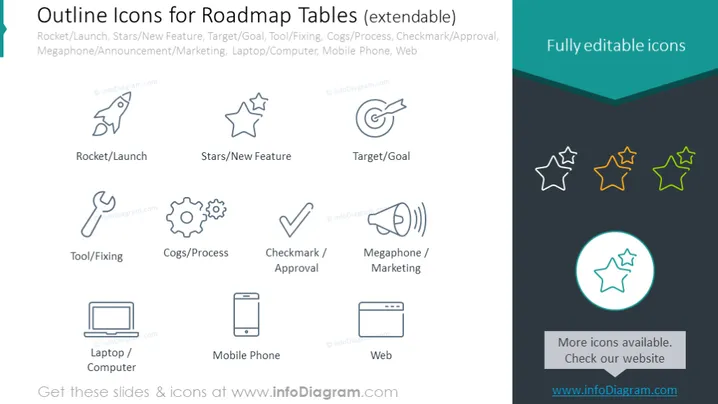
Outline Icons for Roadmap Tables (extendable)
Slide Content
The PowerPoint slide presents a collection of "Outline Icons for Roadmap Tables," which are fully editable and extendable. It displays icons sorted by their use-case: Rocket for Launch – representing the start or launch of a project; Stars for New Feature – indicating new services or product features; Target for Goal – symbolizing objectives; Tool for Fixing – representing maintenance or solutions; Cogs for Process – indicating workflow or operations; Checkmark for Approval – denoting completed verification or agreements; Megaphone for Marketing – symbolizing promotional activities; Laptop for Computer – representing digital work or computing; and Mobile Phone for Web – indicating mobile technology or internet connectivity.
Graphical Look
- The slide features a light background with a collection of grey outline icons.
- Each icon is paired with a label in a simple, sans-serif font.
- The icons are arranged in two rows with four icons in the top row and two in the bottom row, providing a balanced layout.
- Colors utilized are grey for the icons and text, with selective highlights in teal and yellow for one star icon and the circle around it.
- One icon, composed of three stars, is highlighted both in yellow and teal, standing out against the others.
- There's a teal banner at the top right corner saying "Fully editable icons" adding a pop of color.
The overall look is minimalistic and clean, with a professional appearance suitable for business presentations. The highlighted star icon draws attention, suggesting it as a key element or feature.
Use Cases
- Presenting the phases and milestones of a project roadmap in business meetings.
- Illustrating the services or features in a product launch presentation.
- Enhancing slides for marketing strategies with visual cues for better comprehension.
- Outlining the technological tools and processes in an IT or software development pitch.
How to Edit
How to edit text & colors

How to expand / shorten diagram

How to Replace Icons in infoDiagram PPT


