Reviews
Ihre Grafiken verleihen meinen Präsentationen eine nette Note, und ich habe sie kürzlich für eines meiner All-Hands-Meetings verwendet. Ihre Toolbox verleiht meinen Folien Professionalität, anstatt Standard-Clipart zu verwenden.
Ich brauchte einen neuen Blick auf einige meiner Folien. Ich habe versucht, einen Weg zu finden, einen Pinselschlag-Effekt zu erzielen, um zu unterstreichen, hervorzuheben, Farbe hinzuzufügen, und die handgeschriebenen Markierungen waren genau das Richtige. Sehr einfach zu bedienen, leicht in der Größe zu ändern, die Farbe zu ändern. Es war eine erschwingliche, perfekte Lösung und ich empfehle sie gerne weiter.
Die klare, saubere Optik der Grafiken und die Tatsache, dass ich die Farben leicht bearbeiten und an die Vorlage anpassen konnte, war mein Hauptgrund für den Kauf.
Description
Risk Matrix Diagram 3 x 3 with Status Symbols
Slide Content
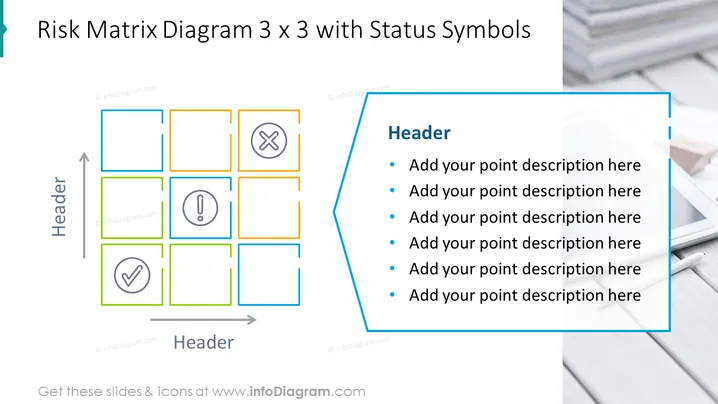
The slide presents a 3x3 risk matrix diagram with status symbols. Each box within the matrix contains a space for a status icon, indicating different levels of risk or project status. The three status symbols shown are a cross (X) for negative or high-risk status, an exclamation point within a circle for a warning or medium-risk status, and a checkmark (✔) for positive or low-risk status. This organization suggests a method for categorizing and visualizing varying levels of risks within a project or process.
Graphical Look
- The main feature is a 3x3 grid representing the risk matrix, with colored outlines for each cell.
- Three cells in the grid include a status symbol: a red cross, a yellow exclamation point, and a green checkmark.
- To the right of the matrix, there is a blue text box with the word 'Header' and bullet points indicating where descriptive text can be added.
- Horizontal and vertical headers labeled 'Header' are included to suggest areas where the matrix's axes can be described.
- A gray arrow points upwards, and another points to the right, each adjacent to the 'Header' labels, likely representing axes for risk assessment criteria.
- The slide background shows a blurred image of a business setting, possibly a desk with documents.
The slide has a clean, professional design with a simple color scheme that emphasizes the status symbols. The use of a blurred photographic background gives it a modern and engaging appearance without distracting from the content.
Use Cases
- To assess and present risk levels for various aspects of a project during a project management meeting.
- For use in a strategic planning session, mapping out potential risks associated with different business scenarios or strategies.
- During a team update, to visually communicate the current status of tasks or objectives and their associated risks.
- As part of a training session or workshop on risk management, teaching participants how to categorize and respond to potential risks using a visual tool.
How to Edit
How to edit text & colors

How to expand / shorten diagram

How to Replace Icons in infoDiagram PPT


