Reviews
Your graphics add a nice touch to my presentations and I recently used them for one of my all-hands meetings. Your toolbox adds professionalism to my slides. Instead of using standard clipart.
I needed a fresh look at some of my slides. I've tried to find a way to create a paintbrush effect, to underline, accentuate, add some color and the handwritten markers were just the things. Very easy to use, easy to size, change the color. It was an affordable, perfect solution and I'm happy to recommend it.
The crisp, clean look of the graphics, and the fact that it allowed me to easily edit and change the colors to match the template was my main reason for purchasing them.
Description
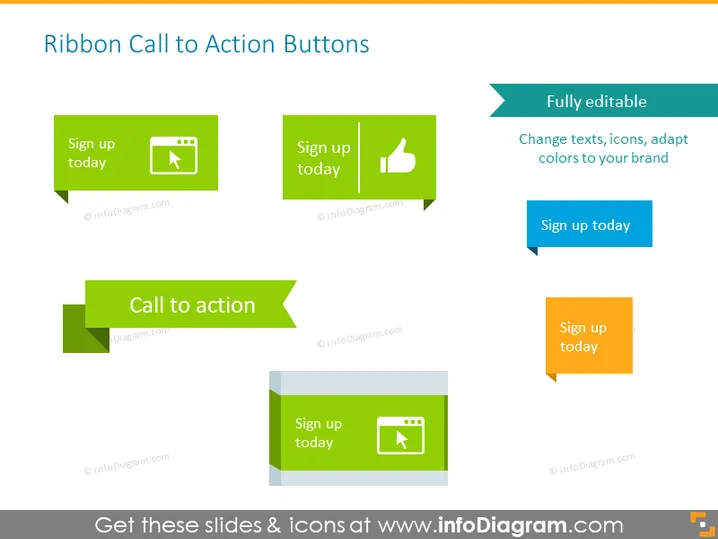
Ribbon Call to Action Buttons
Slide Content
The slide shows a collection of "Ribbon Call to Action Buttons" which can be utilized to prompt user engagement on websites or presentations. These buttons come with suggestive texts like "Sign up today" and are accompanied by various corresponding icons like arrows and thumbs-up, suggesting different actions users can take. The text accompanying the visuals indicates that these buttons are fully editable, enabling changes in text, icons, and adaptation to brand colors.
Graphical Look
- The slide has a white background which creates a clean and minimalistic canvas for the graphics.
- There are five button graphics, each with different shapes and colors, ranging from green tones to a light blue and an orange-colored button.
- Each button contains the phrase "Sign up today" suggesting a commonality in purpose.
- Icons such as an arrow pointing up, a thumbs-up symbol, and an arrow inside a box are placed inside some of the buttons.
- The largest button is without an icon and instead has the text "Call to action".
- A right-pointing chevron graphic is placed next to the text "Fully editable."
- Only the orange button has a pointer triangle at the bottom, suggesting a dropdown or a tooltip element.
- Typography is bold and clear, with sans-serif fonts for easy readability.
The overall look of the slide is modern and user-friendly, with attention-grabbing call-to-action buttons designed to stand out and encourage audience interaction.
Use Cases
- To enhance marketing presentations by visually prompting the audience to imagine engaging with an online platform.
- Within instructional slides to demonstrate the design of interactive elements on a website or application.
- In design-focused meetings to showcase potential call-to-action variations before implementing them on a site.
- As an example in seminars or workshops centered on web design, conversion rate optimization, or user experience best practices.
How to Edit
How to edit text & colors

How to expand / shorten diagram

How to Replace Icons in infoDiagram PPT


