Reviews
Your graphics add a nice touch to my presentations and I recently used them for one of my all-hands meetings. Your toolbox adds professionalism to my slides. Instead of using standard clipart.
I needed a fresh look at some of my slides. I've tried to find a way to create a paintbrush effect, to underline, accentuate, add some color and the handwritten markers were just the things. Very easy to use, easy to size, change the color. It was an affordable, perfect solution and I'm happy to recommend it.
The crisp, clean look of the graphics, and the fact that it allowed me to easily edit and change the colors to match the template was my main reason for purchasing them.
Description
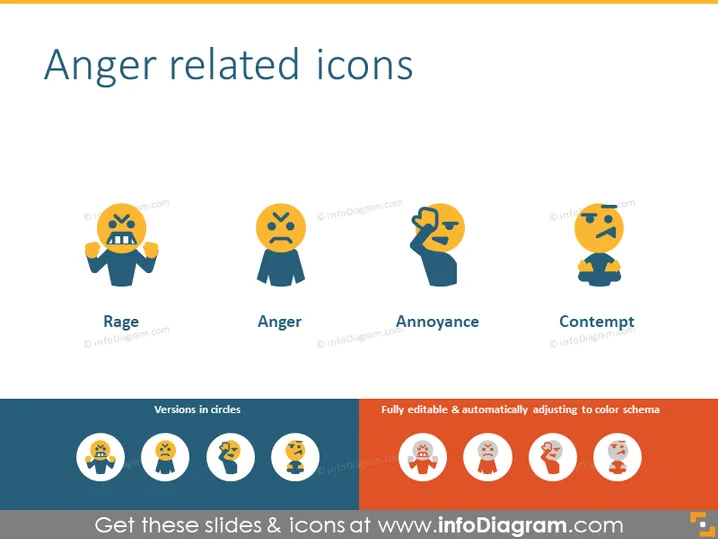
Anger related icons
Slide Content
The PowerPoint slide titled "Anger related icons" illustrates four different emotional states, depicted with simple yet expressive icons. Each icon represents a specific type of anger: "Rage" shows a figure with clenched teeth and hands raised in a powerful gesture indicating extreme anger. "Anger" is a more subdued icon where the figure has a frowning face and hands by its side, suggesting a standard angry emotion. "Annoyance" features a figure turning its head with a raised hand, a common posture for expressing irritation or mild anger. Lastly, "Contempt" is conveyed by a figure with one hand raised, palm facing outwards, in a dismissive or scornful attitude.
Graphical Look
- The slide has a clear, uncluttered background with a light color.
- The title "Anger related icons" is centered at the top of the slide in bold, dark font.
- Four stylized icons represent different anger-related emotions, aligned horizontally across the slide. Each icon has a caption beneath it.
- The icons use a limited color palette, predominantly featuring shades of yellow, blue, and orange.
- Each icon is contained within a circle with a different but harmonious background color to highlight the icon.
- Below the main icons, a smaller set is displayed as versions in circles, indicating alternate design options.
- Adjacent to the circle versions, there is a text box stating "Fully editable & automatically adjusting to color schema," indicating customizability.
The slide has a modern and minimalistic design, using flat graphics and iconography for easy interpretation. The color scheme is consistent and visually appealing.
Use Cases
- To illustrate a section about emotional intelligence or conflict resolution in a corporate training presentation.
- As a visual aid during discussions about customer service, showcasing the varied emotional reactions service personnel may encounter.
- In an educational setting, when teaching about human emotions and social interactions.
- To supplement materials in a workshop about workplace communication, particularly about recognizing and managing different types of negative emotions.
How to Edit
How to edit text & colors

How to expand / shorten diagram

How to Replace Icons in infoDiagram PPT


