Reviews
Your graphics add a nice touch to my presentations and I recently used them for one of my all-hands meetings. Your toolbox adds professionalism to my slides. Instead of using standard clipart.
I needed a fresh look at some of my slides. I've tried to find a way to create a paintbrush effect, to underline, accentuate, add some color and the handwritten markers were just the things. Very easy to use, easy to size, change the color. It was an affordable, perfect solution and I'm happy to recommend it.
The crisp, clean look of the graphics, and the fact that it allowed me to easily edit and change the colors to match the template was my main reason for purchasing them.
Description
3-puzzle Circle Diagram – Handdrawn Triplet
Slide Content
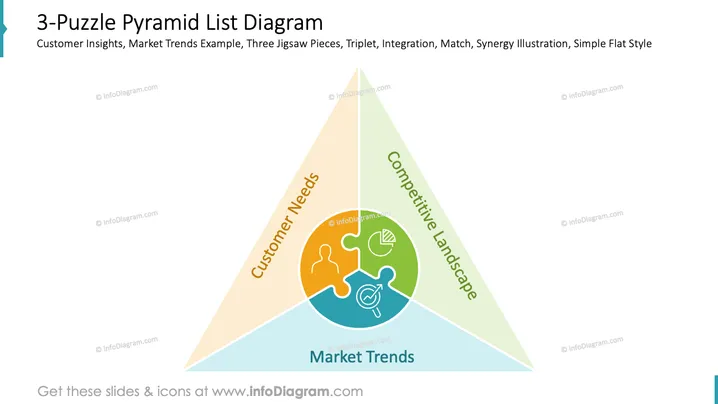
The slide is titled "Budget Components Analysis" and features a three-part puzzle circle diagram intended for portraying the components that make up a budget. Each puzzle piece can be described with inserted text, showing how individual budget components come together to complete an overall financial picture. This visual metaphor suggests interconnectivity and necessary co-operation between the components for a cohesive budget structure. It emphasizes the concept of synergy or the idea that parts of the budget are more effective together than separately.
Graphical Look
- The slide background is a simple, solid white, allowing the content to stand out.
- The title "Budget Components Analysis" is in bold dark blue text, making it a focal point.
- Three bullet points beneath the title are placeholders for textual content, each beginning with a circular bullet.
- An orange arrow leads from the title to a large, gray, hand-drawn circle representing a puzzle with three pieces.
- Each puzzle piece is in a different shade of gray, except one highlighted in a tan color.
- The puzzle pieces are outlined with a scribble effect to emphasize the handdrawn style.
- Text placeholders are provided on each puzzle piece, labeled "Your Title Here" in a casual handdrawn font.
- On top of the slide is a semi-transparent blue ribbon containing additional slide information.
The overall look of the slide is clean and informal, with a mix of professional and creative elements. The hand-drawn style of the circle diagram adds a personal and approachable touch to the presentation.
Use Cases
- Explaining how different departments or projects contribute to the total budget in a company meeting.
- Illustrating how various funding sources are combined for a specific financial goal during a budget proposal presentation.
- Demonstrating the interaction between revenue streams, costs, and investments to stakeholders.
- Teaching financial planning and budget allocation in an educational or training session.
How to Edit
How to edit text & colors

How to expand / shorten diagram

How to Replace Icons in infoDiagram PPT


