Reviews
Sus gráficos añaden un toque agradable a mis presentaciones y recientemente los usé para una de mis reuniones generales. Su conjunto de herramientas añade profesionalismo a mis diapositivas. En lugar de usar imágenes prediseñadas estándar.
Necesitaba un aspecto fresco para algunas de mis diapositivas. Había intentado encontrar una forma de crear un efecto de pincel, de subrayar, acentuar, añadir algo de color y los marcadores escritos a mano fueron justo lo que necesitaba. Muy fácil de usar, fácil de ajustar el tamaño, cambiar el color. Fue una solución asequible y perfecta, y estoy feliz de recomendarla.
El aspecto nítido y limpio de los gráficos, y el hecho de que me permitiera editar y cambiar fácilmente los colores para que coincidieran con la plantilla fue mi principal razón para comprarlos.
Description
4 Puzzle Circle Diagram – Quarterly Performance
Slide Content
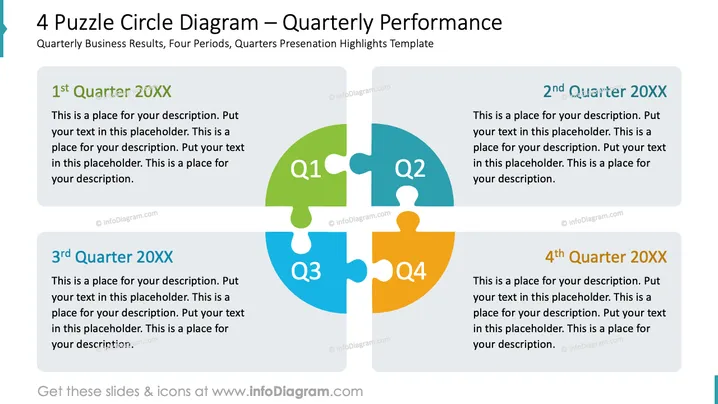
The slide presents a breakdown of quarterly business results using a creative 4 Puzzle Circle Diagram. Each of the four interconnected puzzle pieces represents a different quarter, labeled from "1st Quarter 20XX" to "4th Quarter 20XX". Accompanying each puzzle piece is a text placeholder for detailed descriptions, emphasizing the modular and interconnected nature of the periods within a business year, intending to illustrate how each quarter contributes to the whole year's performance.
Graphical Look
- The slide features four jigsaw puzzle pieces, each of a different color, interlocking to form a circle.
- Each puzzle piece has a capitalized "Q" followed by a number 1 to 4 representing the four quarters of the year.
- To the right of each puzzle section, there is a gray text box with a drop shadow containing the corresponding quarter heading and a placeholder text.
- The background of the slide is white, allowing for clear visibility and contrast with the vivid colors of the puzzle pieces.
- The text within the puzzle pieces and text boxes uses a sans-serif typeface for legibility.
The slide has a clean and professional aesthetic, with a central graphic that effectively communicates the cyclical and interconnected nature of quarterly performance. The use of contrasting colors enhances the distinction between the different quarters.
Use Cases
- To visually present quarterly financial results and show a comparison between different periods.
- In strategic planning meetings, to outline targets and achievements for each quarter.
- During shareholder or board meetings as a visual aid to support discussions on quarterly business performance.
- For internal reviews with teams, focusing on progress and developments made throughout the fiscal year.
How to Edit
How to edit text & colors

How to expand / shorten diagram

How to Replace Icons in infoDiagram PPT


