Reviews
Your graphics add a nice touch to my presentations and I recently used them for one of my all-hands meetings. Your toolbox adds professionalism to my slides. Instead of using standard clipart.
I needed a fresh look at some of my slides. I've tried to find a way to create a paintbrush effect, to underline, accentuate, add some color and the handwritten markers were just the things. Very easy to use, easy to size, change the color. It was an affordable, perfect solution and I'm happy to recommend it.
The crisp, clean look of the graphics, and the fact that it allowed me to easily edit and change the colors to match the template was my main reason for purchasing them.
Description
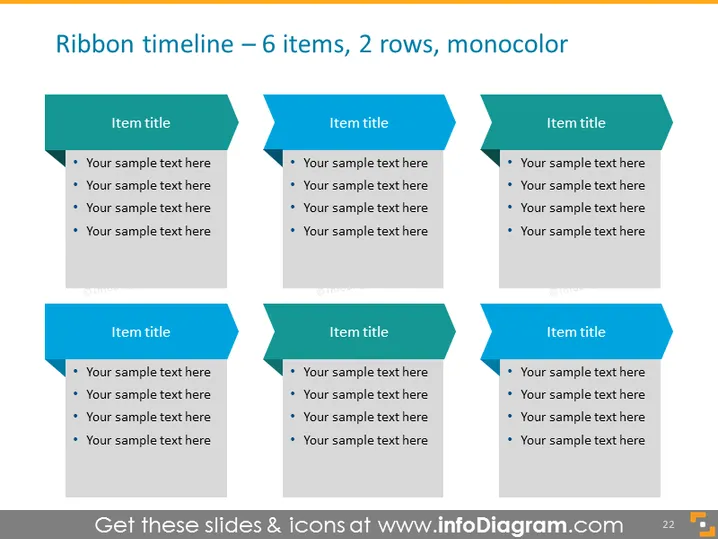
Ribbon timeline – 6 items, 2 rows, monocolor
Slide Content
The slide features a ribbon timeline with 6 items, arranged into 2 rows with 3 items each. Each item provides space for a title and a small bulleted list to elaborate on details, likely indicating sequential steps or events. The use of identical placeholder text for each suggests these are sample placeholders for customization. The title "Ribbon timeline" implies a chronological or process-related sequence, and "monocolor" implies the colour scheme is intended to be uniform across the presentation for a professional, coordinated look.
Graphical Look
- Six teal ribbon-shaped banners with notched corners, arranged into two rows of three.
- Each banner has a heading labelled 'Item title' in a bold, possibly all-caps font.
- Below each title, there are four bullet points with the placeholder text 'Your sample text here,' indicating where specific content can be added.
- The slide background is a light gray, which contrasts with the teal banners.
This slide has a clean, professional design with a monochromatic colour scheme, highlighting the distinct areas for the sequential presentation of information.
Use Cases
- Outlining the phases of a project plan or timeline during a project management meeting.
- Visualizing sequential steps in a business process for training purposes.
- Presenting milestones achieved in a given period during a business update or review meeting.
- Illustrating the agenda or itinerary for an event in a visually engaging manner.
How to Edit
How to edit text & colors

How to expand / shorten diagram

How to Replace Icons in infoDiagram PPT


