Reviews
Ihre Grafiken verleihen meinen Präsentationen eine nette Note, und ich habe sie kürzlich für eines meiner All-Hands-Meetings verwendet. Ihre Toolbox verleiht meinen Folien Professionalität, anstatt Standard-Clipart zu verwenden.
Ich brauchte einen neuen Blick auf einige meiner Folien. Ich habe versucht, einen Weg zu finden, einen Pinselschlag-Effekt zu erzielen, um zu unterstreichen, hervorzuheben, Farbe hinzuzufügen, und die handgeschriebenen Markierungen waren genau das Richtige. Sehr einfach zu bedienen, leicht in der Größe zu ändern, die Farbe zu ändern. Es war eine erschwingliche, perfekte Lösung und ich empfehle sie gerne weiter.
Die klare, saubere Optik der Grafiken und die Tatsache, dass ich die Farben leicht bearbeiten und an die Vorlage anpassen konnte, war mein Hauptgrund für den Kauf.
Description
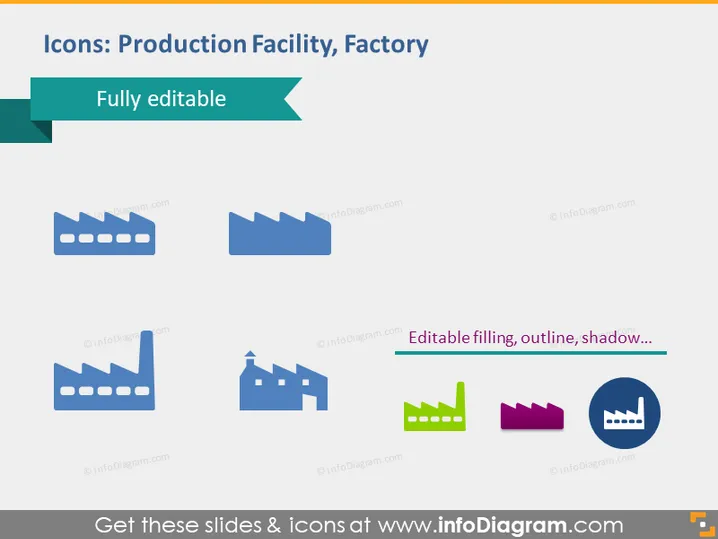
Icons: Production Facility, Factory
Slide Content
The PowerPoint slide presents a variety of icons representing production facilities or factories. These icons appear customizable, indicated by the phrase "Fully editable," which means one can adjust the icons' visual properties, such as color or size. The icons differ in design, showcasing different styles of factory buildings, which likely correspond to various types of industrial operations or manufacturing processes.
Graphical Look
- The background of the slide is plain white, providing a clean visual space for the icons.
- There are six icons displayed in two rows; each row contains three icons.
- Each icon depicts a stylized version of a factory or industrial building with features such as smokestacks or industrial structures.
- The colors of the icons vary, with some in solid shades of blue or green, and others featuring multiple colors.
- One of the icons stands out with a distinct drop shadow effect.
- A ribbon banner in the top-left corner with the text "Fully editable" suggests that these icons can be modified.
- Above the bottom row of icons, there's a black horizontal line with the text "Editable filling, outline, shadow..." implying that these visual elements of the icons are customizable.
The slide has a clean, professional, and straightforward design focused on the factory icons. The visual arrangement is balanced, making it easy to compare the different icon representations.
Use Cases
- To visualize different types of production facilities in a company presentation.
- For illustrating locations of factories in a supply chain or logistics overview.
- In educational materials discussing industrial design or manufacturing processes.
- As part of a graphical user interface within software or digital applications related to industrial management or facility operations.
How to Edit
How to edit text & colors

How to expand / shorten diagram

How to Replace Icons in infoDiagram PPT


