Reviews
Ihre Grafiken verleihen meinen Präsentationen eine nette Note, und ich habe sie kürzlich für eines meiner All-Hands-Meetings verwendet. Ihre Toolbox verleiht meinen Folien Professionalität, anstatt Standard-Clipart zu verwenden.
Ich brauchte einen neuen Blick auf einige meiner Folien. Ich habe versucht, einen Weg zu finden, einen Pinselschlag-Effekt zu erzielen, um zu unterstreichen, hervorzuheben, Farbe hinzuzufügen, und die handgeschriebenen Markierungen waren genau das Richtige. Sehr einfach zu bedienen, leicht in der Größe zu ändern, die Farbe zu ändern. Es war eine erschwingliche, perfekte Lösung und ich empfehle sie gerne weiter.
Die klare, saubere Optik der Grafiken und die Tatsache, dass ich die Farben leicht bearbeiten und an die Vorlage anpassen konnte, war mein Hauptgrund für den Kauf.
Description
Production & construction
Slide Content
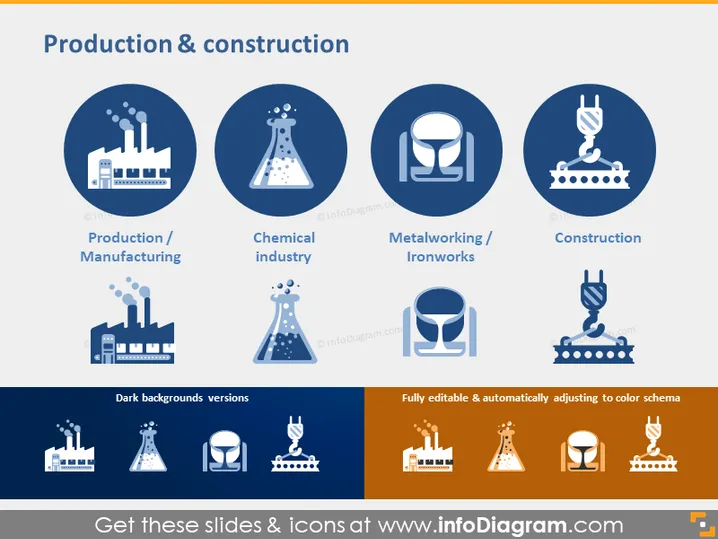
The slide is titled "Production & construction" and presents four categories within this sector. The categories are "Production / Manufacturing," with an icon of a factory denoting the production of goods; "Chemical industry," represented by a flask, indicating laboratories or chemical production facilities; "Metalworking / Ironworks," symbolized by a smithing tool and anvil, referring to the shaping and forging of metal; and "Construction," depicted with a crane, highlighting the industry involved in constructing buildings and infrastructure.
Graphical Look
- The slide has a clean and professional design with a navy blue and white color scheme.
- There are four main circular icons in navy blue with white pictograms, each representing different aspects of the production and construction industry.
- Below the circular icons, there are labels for each icon in navy blue text against a white background, providing context to the icons.
- The bottom of the slide has two color variants of the icons, one set on a dark navy background for contrast and the other set on an orange background indicating editability.
- To the left, text indicates "Dark backgrounds versions," and to the right, a text box states, "Fully editable & automatically adjusting to color schema," hinting at the customizability of the icons.
The slide has a harmonious and balanced visual composition, with a clear division between the icon set and explanatory text. The use of color variation emphasizes the adaptability of the icon designs to different presentation themes.
Use Cases
- To introduce various sectors within the production and construction industry during a business or academic presentation.
- As part of a training module to explain the different aspects and job roles in production and construction environments.
- Within a marketing pitch to outline a company's expertise or services within these industries.
- To visually summarize the types of projects a construction or manufacturing company might be involved in, during stakeholder meetings or investment discussions.
How to Edit
How to edit text & colors

How to expand / shorten diagram

How to Replace Icons in infoDiagram PPT


