Reviews
Sus gráficos añaden un toque agradable a mis presentaciones y recientemente los usé para una de mis reuniones generales. Su conjunto de herramientas añade profesionalismo a mis diapositivas. En lugar de usar imágenes prediseñadas estándar.
Necesitaba un aspecto fresco para algunas de mis diapositivas. Había intentado encontrar una forma de crear un efecto de pincel, de subrayar, acentuar, añadir algo de color y los marcadores escritos a mano fueron justo lo que necesitaba. Muy fácil de usar, fácil de ajustar el tamaño, cambiar el color. Fue una solución asequible y perfecta, y estoy feliz de recomendarla.
El aspecto nítido y limpio de los gráficos, y el hecho de que me permitiera editar y cambiar fácilmente los colores para que coincidieran con la plantilla fue mi principal razón para comprarlos.
Description
Problem - Solution Icons
Slide Content
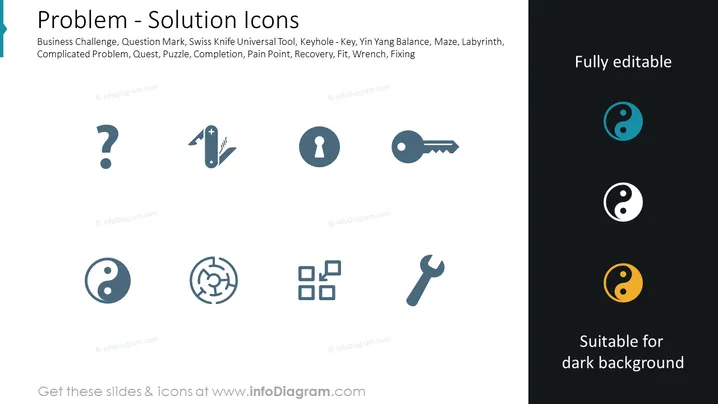
The slide titled "Problem - Solution Icons" represents various symbols associated with problem-solving and strategy in a business context. The icons include a question mark for Business Challenge, signifying the emergence of unforeseen issues. A Swiss Knife depicts the Universal Tool, illustrating versatility and adaptability. The keyhole with a key represents access or a solution. Yin Yang icons suggest Balance, indicating the importance of harmony in resolving conflicts. A maze represents a Complicated Problem, symbolizing complex challenges that require careful navigation. Puzzle pieces symbolize Quest/Completion, referring to the journey towards achieving a goal or solution. A wrench embodies Fixing, representing the tools or means to repair or adjust processes.
Graphical Look
- The slide background is a clean white, providing clear contrast for the icons and text.
- The slide title is displayed prominently at the top in a large, bold font.
- A set of eight icons arranged in two rows and four columns, each icon is accompanied by a small descriptive text bubble.
- Icons are designed in a modern, flat style and are monochromatic with shades of bluish-grey except for one set displayed in cyan, white, and orange to indicate their adaptability to different background colors.
- Each descriptive text bubble is directly below its respective icon, offering a brief explanation of the icon's meaning.
- The icons and texts are evenly spaced, creating a balanced and organized visual feel.
- The phrase "Fully editable" appears in the top right corner, suggesting that the slide elements can be customized.
- Additional text at the bottom reminds viewers that the icons are suitable for dark backgrounds, implying versatility in design usage.
The slide has a professional and minimalistic look, with a clear focus on the icons and their meanings. The design is scalable, clean, and easy to interpret, making it appealing for a professional setting.
Use Cases
- To illustrate different aspects of problem-solving and strategies in a business strategy presentation.
- For providing a visual aid during brainstorming sessions to symbolically represent obstacles and solutions.
- In training materials or workshops to discuss various challenges and toolsets available for tackling such challenges.
- During a pitch or proposal to highlight the multifaceted approach a company takes to problem-solving and innovation.
How to Edit
How to edit text & colors

How to expand / shorten diagram

How to Replace Icons in infoDiagram PPT


