Reviews
Your graphics add a nice touch to my presentations and I recently used them for one of my all-hands meetings. Your toolbox adds professionalism to my slides. Instead of using standard clipart.
I needed a fresh look at some of my slides. I've tried to find a way to create a paintbrush effect, to underline, accentuate, add some color and the handwritten markers were just the things. Very easy to use, easy to size, change the color. It was an affordable, perfect solution and I'm happy to recommend it.
The crisp, clean look of the graphics, and the fact that it allowed me to easily edit and change the colors to match the template was my main reason for purchasing them.
Description
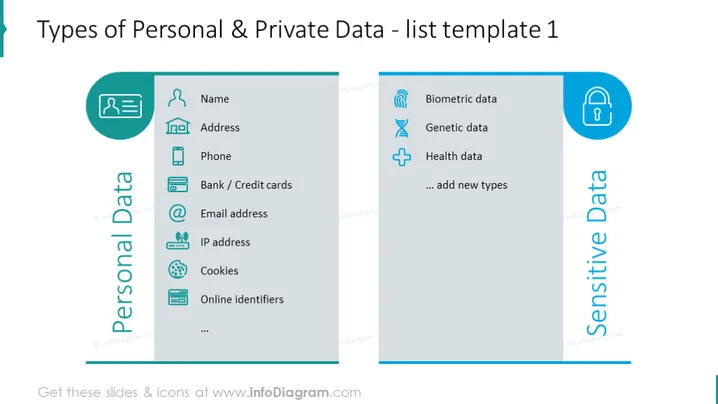
##Example of the Personal and Private Data Slide
This is a comparison slide for presenting two lists of data covered by GDPR: personal data and sensitive data. With this diagram, you are getting the most common examples of protected information that you can use as given or adapt to your specific situation. Learn more about the GDPR on Wikipedia.
##What Does This Example of the Personal and Private Data Slide Include?
- 2 editable gray text containers with lists of example data with illustrative icons and colorful drop-shaped graphics containing illustrations
- Outline icons of a person, house, address, phone, smartphone, credit card, bank account, email address, IP address, cookies, ID, fingerprint, biometric data, DNA, genetics, healthcare, health
This Example of the Personal and Private Data Slide is a part of our Data Privacy GDPR Training PPT Template.
How to Edit
How to edit text & colors

How to expand / shorten diagram

How to Replace Icons in infoDiagram PPT


