Reviews
Your graphics add a nice touch to my presentations and I recently used them for one of my all-hands meetings. Your toolbox adds professionalism to my slides. Instead of using standard clipart.
I needed a fresh look at some of my slides. I've tried to find a way to create a paintbrush effect, to underline, accentuate, add some color and the handwritten markers were just the things. Very easy to use, easy to size, change the color. It was an affordable, perfect solution and I'm happy to recommend it.
The crisp, clean look of the graphics, and the fact that it allowed me to easily edit and change the colors to match the template was my main reason for purchasing them.
Description
Poll question...
Slide Content
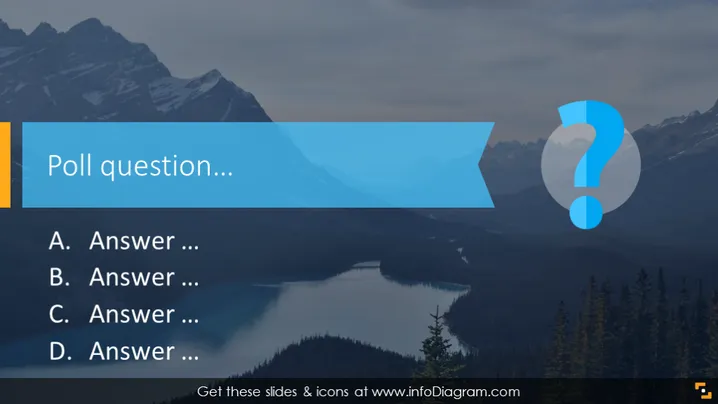
The slide is designed to present a poll question with multiple-choice answers. It includes a placeholder for the question, followed by four potential answers labeled A to D. Each answer is a placeholder for additional information about potential answers which participants of the poll can select from. This format is typical for interactive sessions or quick surveys during presentations to engage the audience and gather opinions or votes.
Graphical Look
- The slide background features a mountainous landscape with a lake, trees, and a cloudy sky.
- There is a large blue rectangular shape with a cutout on the left side that contains the title "Poll question..." in white font.
- To the right, semi-transparent white circles overlap, one with a prominent blue question mark, adding a visual element of curiosity or inquiry.
- The answers are aligned vertically on the left side, with each option starting with a letter (A to D) followed by ellipses suggesting the placeholder text for the answers.
- A bold yellow vertical bar lines the left edge of the slide, providing contrast and visual bordering.
The slide features a nature-inspired background that imparts a calm and natural setting, while the overlaid shapes, text, and icons are designed to focus attention on the interactivity of a poll. The use of contrasting colors like yellow and blue makes the slide elements pop against the serene backdrop.
Use Cases
- To gauge audience knowledge or opinions during a live presentation or webinar.
- As part of an interactive quiz in educational or training settings, encouraging participant engagement.
- During business meetings to collect feedback or make decisions based on team votes.
- In e-learning modules where learners can test their understanding of the material by answering the poll question.
How to Edit
How to edit text & colors

How to expand / shorten diagram

How to Replace Icons in infoDiagram PPT


