Reviews
Your slides are my 'secret sauce' when it comes to visualising my ideas to clients. I'm saving so much time.
InfoDiagram has been a wonderful resource since I found the product site a few years ago.
Your slides often generate good comments and ideas from my team that improve the final slides.
Description
Handdrawn Paths Illustration Example
Slide Content
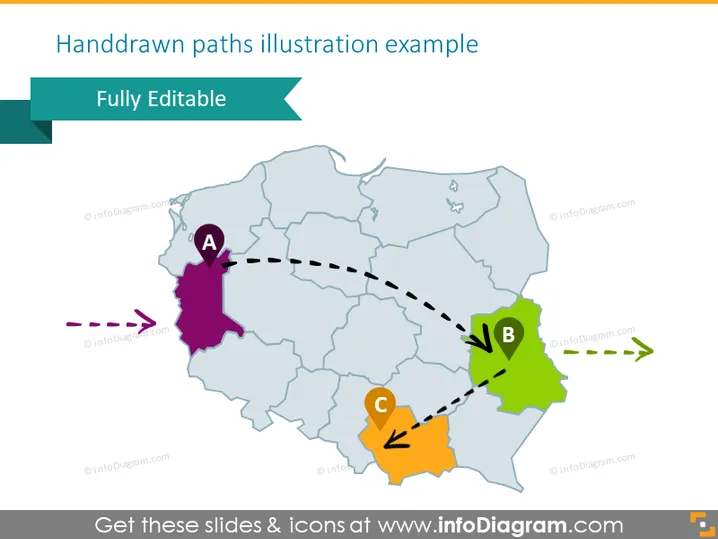
The slide titled "Handdrawn paths illustration example" appears to showcase a stylized map demonstration, highlighting routes or connections between three distinct areas labeled A, B, and C. Area A is connected to B with a dashed line signifying a path, while Area B is connected to C, indicating a sequence or a flow of information or movement. This example slide is likely a part of a larger presentation aimed at discussing geographical relations or logistical operations.
Graphical Look
- A teal banner at the top with the text "Fully Editable" in white.
- A stylized map in light blue with outlines of regions.
- Three colored areas marked with letters "A," "B," and "C," with A in purple, B in green, and C in orange.
- Dashed lines showing paths between the areas: a purple dashed line leading from off-slide to A, a black dashed line from A to B, and another black dashed line from B to C.
- Directional arrows along the dashed lines indicating the direction of travel or movement: a purple arrow pointing to A, black arrows on the lines between A, B, and C.
- Iconic representations for points A (pin marker), B (circle), and C (arrow).
The slide has a playful, hand-drawn aesthetic despite being digitally rendered, with vibrant colors and dashed lines that give a sense of movement or flow. The color-coding and distinct icons represent different stages or locations in a process or journey.
Use Cases
- Presenting the stages of logistical operations from one point to another.
- Explaining a multi-stage project process with geographical components.
- Illustrating the flow of information or goods across different regions.
- Teaching or discussing geographic regions and their connectivity in an educational setting.
How to Edit
How to edit text & colors

How to expand / shorten diagram

How to Replace Icons in infoDiagram PPT


