Reviews
Sus gráficos añaden un toque agradable a mis presentaciones y recientemente los usé para una de mis reuniones generales. Su conjunto de herramientas añade profesionalismo a mis diapositivas. En lugar de usar imágenes prediseñadas estándar.
Necesitaba un aspecto fresco para algunas de mis diapositivas. Había intentado encontrar una forma de crear un efecto de pincel, de subrayar, acentuar, añadir algo de color y los marcadores escritos a mano fueron justo lo que necesitaba. Muy fácil de usar, fácil de ajustar el tamaño, cambiar el color. Fue una solución asequible y perfecta, y estoy feliz de recomendarla.
El aspecto nítido y limpio de los gráficos, y el hecho de que me permitiera editar y cambiar fácilmente los colores para que coincidieran con la plantilla fue mi principal razón para comprarlos.
Description
Three Phases of Change Management
Slide Content:
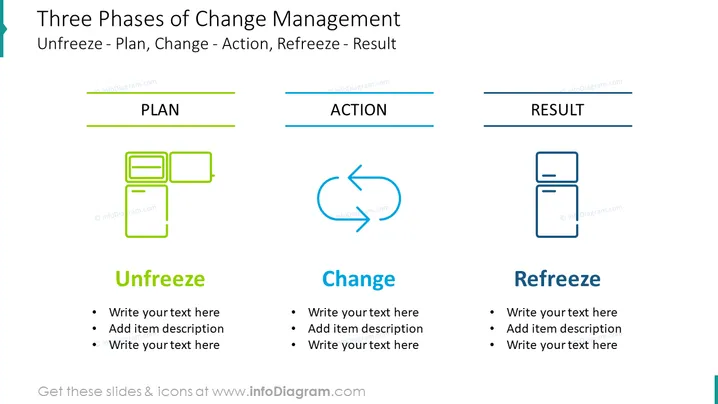
The slide diagram shows the three phases of change management: Unfreeze, Change, and Refreeze.
- The Unfreeze phase is about preparing for change by creating a sense of urgency, developing a vision for change, and communicating the change to stakeholders.
- The Change phase is about implementing the change plan, overcoming resistance to change, and providing support to employees.
- The Refreeze phase is about solidifying the change and making it permanent by embedding the change into the organization's culture.
Graphical Look:
- The slide uses a simple, straightforward design with a focus on clarity and readability.
- The slide title and content text are displayed in a large, easy-to-read font.
- The diagram of the three phases of change management is prominently displayed in the center of the slide.
- The diagram uses bright, contrasting colors to make it visually appealing and easy to understand.
- The slide also includes a few simple icons to illustrate the key concepts of each phase of change management.
Overall, the slide has a clean, professional look that is appropriate for a business presentation. The slide design is effective in communicating the key information about the three phases of change management in a clear and concise way.
Where to use such a slide?
You can use a slide about the three phases of change management in a variety of business presentations, such as:
- When introducing the concept of change management to a new audience
- When explaining the change management process to stakeholders
- When updating stakeholders on the progress of a change initiative
- When presenting the results of a change initiative
- When training employees on change management
Here are some specific examples of where you might use such a slide:

- A presentation to the board of directors about a new business strategy that will require significant organizational change
- A presentation to employees about a new company culture that is being implemented
- A presentation to the sales team about a new sales process
- A presentation to the IT department about a new cloud computing platform
- A presentation to the product development team about a new agile development methodology
How to Edit
How to edit text & colors

How to expand / shorten diagram

How to Replace Icons in infoDiagram PPT

