Reviews
Your slides are my "secret sauce" when it comes to presenting my ideas to clients. I save a lot of time.
J'avais un délai de livraison à respecter et je n'avais pas le temps de créer une variété de modèles de diapositives. Infodiagram m'a proposé des options faciles à télécharger et à personnaliser en fonction de mes besoins !
Vos diapositives suscitent souvent de précieux commentaires et idées de la part de mon équipe, ce qui améliore les diapositives finales.
Description
Next Steps Pencil Diagram (4 steps, adjustable)
Slide Content
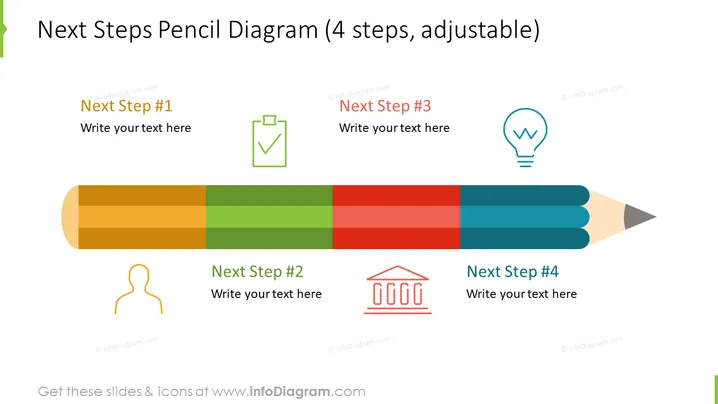
The slide introduces a four-stage process with each step illustrated as a segmented part of a pencil. The pencil metaphor represents the progression or writing of a plan. "Next Step #1" is associated with a checkbox, symbolizing initiation or agreement. "Next Step #2" has an icon of a person indicating a step involving human resources or decision making. "Next Step #3" is displayed with a lightbulb icon, suggesting a phase for ideas or innovation. The final segment, "Next Step #4", features a classic courthouse column structure, implying a concluding phase that may involve review or regulation.
Graphical Look
- The slide features a large, horizontally oriented pencil graphic divided into four colored sections, each representing a step in a process.
- Above each pencil section is a text box for adding descriptions of each step.
- Accompanying icons for each step are aligned above the text boxes, visually categorizing the steps.
- The icons include a green checkmark, an orange human figure, a blue light bulb, and a red courthouse or institutional building.
- Colors of pencil segments range from a warm golden shade to green, red, and blue, corresponding with their respective icons.
- The slide's background is plain white, ensuring the vibrant colors and graphics stand out clearly.
The slide is simple and visually engaging, utilizing distinct colors and clear icons to represent different stages or ideas. The pencil graphic adds creativity and could effectively convey a sense of development or written planning.
Use Cases
- To present a project or business plan with distinct phases where tasks are to be completed.
- In educational settings for illustrating the steps of a writing process or research project.
- For visualizing a product development timeline, associating each stage with specific milestones or departments.
- During strategy meetings to outline the sequential tasks required for achieving an organizational goal.
How to Edit
How to edit text & colors

How to expand / shorten diagram

How to Replace Icons in infoDiagram PPT


