Reviews
Sus gráficos añaden un toque agradable a mis presentaciones y recientemente los usé para una de mis reuniones generales. Su conjunto de herramientas añade profesionalismo a mis diapositivas. En lugar de usar imágenes prediseñadas estándar.
Necesitaba un aspecto fresco para algunas de mis diapositivas. Había intentado encontrar una forma de crear un efecto de pincel, de subrayar, acentuar, añadir algo de color y los marcadores escritos a mano fueron justo lo que necesitaba. Muy fácil de usar, fácil de ajustar el tamaño, cambiar el color. Fue una solución asequible y perfecta, y estoy feliz de recomendarla.
El aspecto nítido y limpio de los gráficos, y el hecho de que me permitiera editar y cambiar fácilmente los colores para que coincidieran con la plantilla fue mi principal razón para comprarlos.
Description
Paint Rollers List Diagram – 5 Colorful Columns
Slide Content
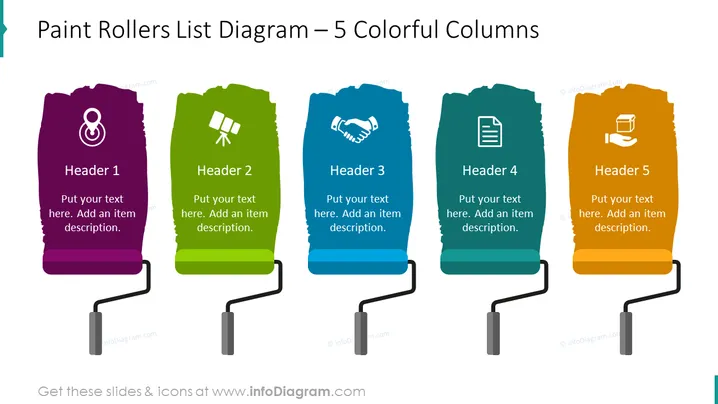
The slide presents a list diagram with five colorful columns, each resembling a paint roller, and intended for itemized content. The columns are labeled from "Header 1" to "Header 5", and each has space to add a text description underneath. The headers are accompanied by icons which visually represent concepts like communication, partnership, documentation, and innovation. These visual cues complement the text, assisting in conveying the subject matter of each column in a more engaging manner.
Graphical Look
- The slide background is plain white, emphasizing the colorful graphics.
- Five vertical, paint roller-shaped columns are arranged in a row.
- Each column has a unique color: purple, green, blue, teal, and orange.
- At the top of each column, there is an icon inside a white circle.
- The icons depict various abstract concepts: a person, a satellite dish, a handshake, a document, and a paintbrush in a hand.
- Beneath the icons, each column has a designated area with the placeholder text "Header" followed by a number.
- Below each header, there is additional placeholder text for a description.
- The columns are connected at the bottom by a dark continuous line with roller handles, creating a sense of cohesion.
The slide's visual composition is modern and vibrant, with the bold colors of the paint roller columns drawing attention. The use of icons adds a layer of visual communication, making each column distinct and easier to associate with its content.
Use Cases
- Presenting a step-by-step process or a sequence of events in a business strategy or project plan.
- Demonstrating different components of a product, service, or business idea in a marketing or sales presentation.
- Highlighting the core values or pillars of a company culture in an employee onboarding session.
- Comparing multiple options or aspects of market research in a visually engaging manner during a business meeting.
How to Edit
How to edit text & colors

How to expand / shorten diagram

How to Replace Icons in infoDiagram PPT


