Reviews
Your graphics add a nice touch to my presentations and I recently used them for one of my all-hands meetings. Your toolbox adds professionalism to my slides. Instead of using standard clipart.
I needed a fresh look at some of my slides. I've tried to find a way to create a paintbrush effect, to underline, accentuate, add some color and the handwritten markers were just the things. Very easy to use, easy to size, change the color. It was an affordable, perfect solution and I'm happy to recommend it.
The crisp, clean look of the graphics, and the fact that it allowed me to easily edit and change the colors to match the template was my main reason for purchasing them.
Description
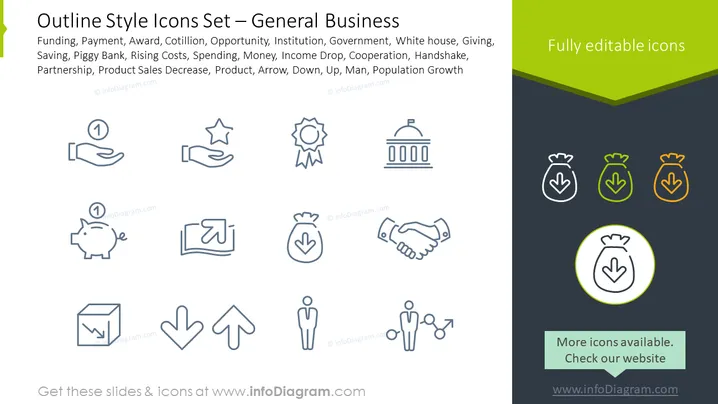
Outline Style Icons Set – General Business
Slide Content
The slide titled "Outline Style Icons Set – General Business" features icons representing various business concepts: Funding, Payment, Award, Opportunity, Institution, and more. These icons depict common elements of business presentations and discussions such as earning and saving money (Piggy Bank), governmental structures (White House), teamwork (Handshake), and trends in sales or population (Arrows, Man with Population Growth).
Graphical Look
- The slide has a clean and minimalist design with a two-tone color scheme, consisting of dark grey and green.
- A collection of 12 icons are evenly distributed across the slide, with each icon being a simple, outlined graphic symbolizing different business concepts.
- The icons are arranged in a grid layout of three rows with four icons each.
- Each icon is accompanied by a label underneath it, briefly describing the corresponding business concept.
- To the right side of the slide, there is a vertical section with a green background that contains three piggy bank icons in different colors (grey, green, and orange) and a highlighted message stating "Fully editable icons."
- A green banner at the bottom of the slide suggests additional icons are available and prompts to "Check our website" followed by a web address.
The overall look is modern and professional, emphasizing clarity and ease of understanding through the use of universal business symbols. The choice of colors keeps the design vibrant while not overpowering the content.
Use Cases
- To visually communicate different business topics during corporate training sessions.
- In pitch decks to investors, using the icons to highlight key business areas such as funding or growth opportunities.
- As part of a business strategy presentation, helping to break down complex concepts into easily recognizable symbols.
- Within a marketing report to represent different facets of market analysis, including competition, financial performance, and consumer demographics.
How to Edit
How to edit text & colors

How to expand / shorten diagram

How to Replace Icons in infoDiagram PPT


