Outline Icons Set — Business Metaphors
Slide Content
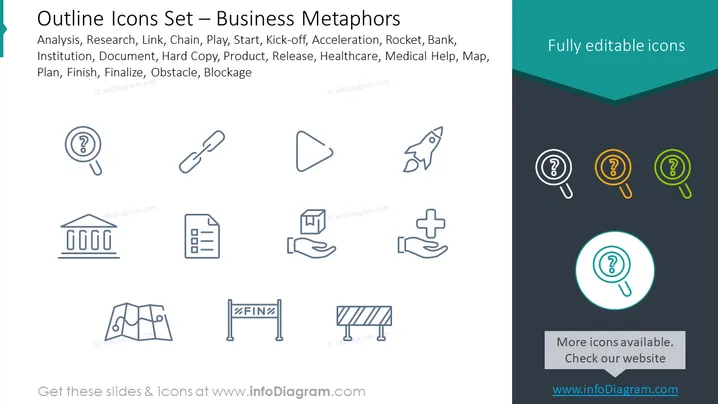
The slide titled "Outline Icons Set — Business Metaphors" features a collection of icons representing various business concepts such as Analysis, Research, Link, Chain, Play, Start, Kick-off, Acceleration, Rocket, Bank, Institution, Document, Hard Copy, Product, Release, Healthcare, Medical Help, Map, Plan, Finish, Finalize, Obstacle, and Blockage. Each icon is designed as a visual metaphor to encapsulate the essence of these concepts; for instance, a magnifying glass connotes Analysis, links in a chain signify connectivity or processes, and a rocket symbolizes acceleration or rapid growth.
Graphical Look
- The slide background is split diagonally, with the top portion in white and the bottom in dark teal.
- Icons are simple outlines without fill, which gives them a clean and modern look.
- The icons are arranged in three rows, each containing a different number of icons.
- Colors used in the icons are largely grayscale, with the exception of three magnifying glass icons on the right side which are colored in teal, orange, and green.
- The text "Fully editable icons" is placed in a dark teal ribbon shape in the top right corner.
- Each icon is paired with a buzzword from the business metaphors list, however, the words are not displayed on the slide.
The slide has a modern and professional visual composition, with a clear emphasis on the icons. The style is minimalistic, utilizing clean lines and simple shapes to convey the various business concepts.
Use Cases
- To introduce or explain different stages or elements of a business strategy or plan during a presentation.
- As part of training materials to illustrate various business processes, concepts, or departments.
- In marketing materials to visually represent the services or solutions a company offers.
- As visual aids in reports or documents to quickly communicate key points or steps in a process.