Reviews
Your graphics add a nice touch to my presentations and I recently used them for one of my all-hands meetings. Your toolbox adds professionalism to my slides. Instead of using standard clipart.
I needed a fresh look at some of my slides. I've tried to find a way to create a paintbrush effect, to underline, accentuate, add some color and the handwritten markers were just the things. Very easy to use, easy to size, change the color. It was an affordable, perfect solution and I'm happy to recommend it.
The crisp, clean look of the graphics, and the fact that it allowed me to easily edit and change the colors to match the template was my main reason for purchasing them.
Description
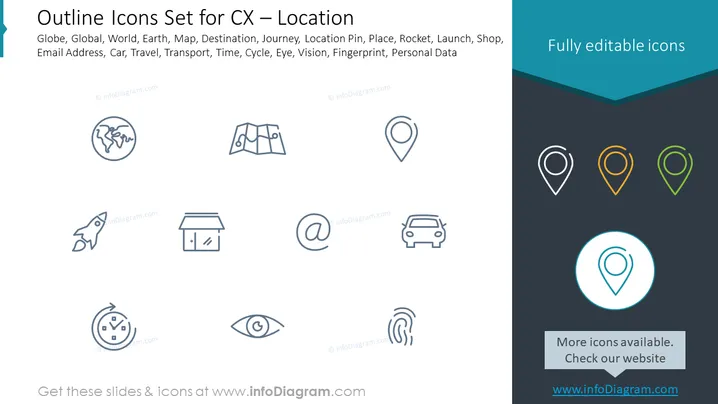
Outline Icons Set for CX – Location
Slide Content
The PowerPoint slide is titled "Outline Icons Set for CX – Location" and features a collection of icons related to various themes such as global presence, navigation, and personal data. The icons represent the following concepts: Globe (worldwide reach or presence), Map (navigation and routes), Destination (endpoints in a journey), Journey (travel or process), Location Pin (specific geographic area), Place (location or area of interest), Rocket (growth or quick launch), Launch (beginning or start), Shop (retail or commerce), Email Address (digital communication), Car (transportation or vehicular motion), Travel (movement or tourism), Transport (logistics or movement of goods), Time (chronology or schedule), Cycle (repetition or process), Eye (visibility or perception), Vision (foresight or planning), Fingerprint (identity or security), and Personal Data (privacy or individual information).
Graphical Look
- The slide has a clean and minimalistic design with a white background.
- A dark teal header spans the top width of the slide with white text for the slide title in a bold font.
- Each icon is delineated with a subtle grey outline.
- Icons are arranged in a grid pattern comprising two rows with nine icons in the first row and eight icons in the second row.
- The icons are designed with simplicity in mind, using only lines and no fill colors.
- The right side of the slide features three location pin icons with different colors, suggesting customization options.
- A small banner in the lower right has text inviting viewers to check more options on a website.
The slide presents a professional and organized visual composition with easily identifiable icons, creating a user-friendly resource for viewers to understand various location-related concepts.
Use Cases
- To visually enhance a presentation about global business strategy by incorporating suitable icons to represent international reach, travel, logistics, etc.
- In marketing materials to communicate various aspects of customer experience, emphasizing location-specific services or benefits.
- During educational or training sessions illustrating the importance of geographic factors in business operations, like shipping or regional marketing.
- For digital or printed brochures to highlight features of travel-related services or apps that utilize location data or geographical tagging.
How to Edit
How to edit text & colors

How to expand / shorten diagram

How to Replace Icons in infoDiagram PPT


