Reviews
Ihre Grafiken verleihen meinen Präsentationen eine nette Note, und ich habe sie kürzlich für eines meiner All-Hands-Meetings verwendet. Ihre Toolbox verleiht meinen Folien Professionalität, anstatt Standard-Clipart zu verwenden.
Ich brauchte einen neuen Blick auf einige meiner Folien. Ich habe versucht, einen Weg zu finden, einen Pinselschlag-Effekt zu erzielen, um zu unterstreichen, hervorzuheben, Farbe hinzuzufügen, und die handgeschriebenen Markierungen waren genau das Richtige. Sehr einfach zu bedienen, leicht in der Größe zu ändern, die Farbe zu ändern. Es war eine erschwingliche, perfekte Lösung und ich empfehle sie gerne weiter.
Die klare, saubere Optik der Grafiken und die Tatsache, dass ich die Farben leicht bearbeiten und an die Vorlage anpassen konnte, war mein Hauptgrund für den Kauf.
Description
Outline Icons Set — Misc.
Slide Content
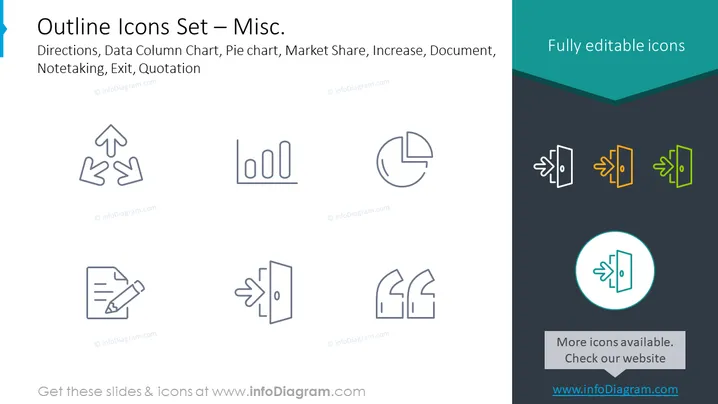
This PowerPoint slide presents a collection of miscellaneous outline icons, including symbols for Directions, Data Column Chart, Pie Chart, Market Share, Increase, Document, Notetaking, Exit, and Quotation. Each icon represents a concept or action used in various business or presentation contexts. For instance, the Directions icon with two arrows can denote decision paths, the Data Column Chart symbolizes data analysis, and the Pie Chart represents data segmentation or parts of a whole. The Market Share and Increase icons likely denote financial or market growth concepts, while the Document and Notetaking icons could be related to record keeping or information processing. The Exit icon is typically used to indicate a method of exit or closure, and the Quotation icon may refer to citing sources or highlighting spoken words.
Graphical Look
- The slide background is white with two color blocks at the top right and bottom of the slide – one dark teal and one a lighter shade of teal-blue.
- A total of eight icons are displayed in gray – four on the left, overlapping into the lower color block, and four on the upper right within the dark teal block.
- The icons on the left are uniform in color and have a simple, outline style, while the icons on the right have a colorful gradient fill added to the outline shapes, showing an example of customization.
- Each icon set on the right side varies in colors ranging from orange to green, suggesting individuality and highlighting the fully editable nature of the icons.
- In the center of the right color block, there is a circular highlight with an additional example of the Exit icon in a teal outline with a contrasting circle in the background, indicating focus.
The slide has a clean and modern design, with a good balance between the icons and the text. The color contrast between the gray and colorful icons effectively showcases the editability of the icons.
Use Cases
- To visually represent various concepts in business presentations such as directional decisions, data analysis, market trends, or documentation processes.
- In educational or instructional materials to signify different actions or sections, like noting information or indicating an exit or end to a topic.
- As visual aids in user guides or manuals for software or procedural documentation, where icons can quickly signal to the reader what action to perform.
- In marketing materials to add a visual component to textual content, making the information more engaging and easier to understand at a glance.
How to Edit
How to edit text & colors

How to expand / shorten diagram

How to Replace Icons in infoDiagram PPT


