Reviews
Your graphics add a nice touch to my presentations and I recently used them for one of my all-hands meetings. Your toolbox adds professionalism to my slides. Instead of using standard clipart.
I needed a fresh look at some of my slides. I've tried to find a way to create a paintbrush effect, to underline, accentuate, add some color and the handwritten markers were just the things. Very easy to use, easy to size, change the color. It was an affordable, perfect solution and I'm happy to recommend it.
The crisp, clean look of the graphics, and the fact that it allowed me to easily edit and change the colors to match the template was my main reason for purchasing them.
Description
Iceberg Light Outlined Diagram (3 levels)
Slide Content:
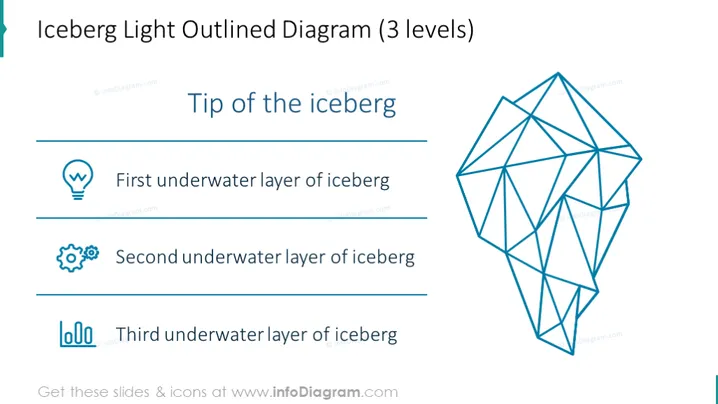
The slide depicts an "Iceberg Light Outlined Diagram" with three underlying levels. The "Tip of the iceberg" at the top indicates the visible, immediately apparent issues or aspects of a situation. The "First underwater layer of the iceberg" suggests initially hidden factors that might require further investigation. The "Second underwater layer of the iceberg" implies deeper, less obvious influences, while the "Third underwater layer of the iceberg" refers to the core underlying causes or foundational aspects that are often the most challenging to discern.
Graphical Look:
- The slide features a large, light blue outline of an iceberg on the right side.
- This outlined iceberg is created with interconnected lines forming a network of triangles and geometric shapes, giving a 3D wireframe effect.
- On the left side, there are three horizontal lines, each associated with a label and an icon that corresponds to the iceberg's layers.
- The icons are stylized and minimalistic: a light bulb for the first layer, a gear for the second, and a bar chart for the third.
The overall layout is clean and balanced with plenty of white space. The slide has a minimalist and modern design, using contrast and space effectively to convey the concept of layered understanding in a visually appealing manner.
Use Cases:
- In a business strategy session to discuss the different layers of market analysis.
- During a problem-solving meeting to identify the visible and hidden aspects of an issue.
- In a project debrief to review the surface-level outcomes and the deeper processes that influenced them.
- For educational purposes to teach about the structure and analysis of complex systems.
How to Edit
How to edit text & colors

How to expand / shorten diagram

How to Replace Icons in infoDiagram PPT


