Reviews
Ihre Grafiken verleihen meinen Präsentationen eine nette Note, und ich habe sie kürzlich für eines meiner All-Hands-Meetings verwendet. Ihre Toolbox verleiht meinen Folien Professionalität, anstatt Standard-Clipart zu verwenden.
Ich brauchte einen neuen Blick auf einige meiner Folien. Ich habe versucht, einen Weg zu finden, einen Pinselschlag-Effekt zu erzielen, um zu unterstreichen, hervorzuheben, Farbe hinzuzufügen, und die handgeschriebenen Markierungen waren genau das Richtige. Sehr einfach zu bedienen, leicht in der Größe zu ändern, die Farbe zu ändern. Es war eine erschwingliche, perfekte Lösung und ich empfehle sie gerne weiter.
Die klare, saubere Optik der Grafiken und die Tatsache, dass ich die Farben leicht bearbeiten und an die Vorlage anpassen konnte, war mein Hauptgrund für den Kauf.
Description
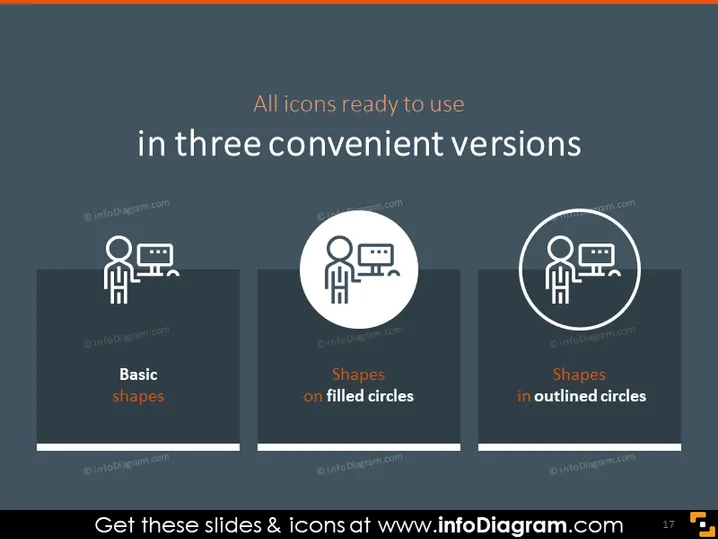
All icons ready to use in three convenient versions
Slide Content
The PowerPoint slide presents three icon styles available for use. "Basic shapes" refers to minimalistic iconography without any additional decorative elements, highlighting clarity and simplicity. "Shapes on filled circles" suggests that each icon is placed on a solid circular background, which emphasizes the icon and can make it stand out on various backgrounds. "Shapes in outlined circles" indicates that each icon is encircled by an outline, creating a uniform appearance that can be particularly appealing on busier backgrounds or when a softer visual impact is wanted.
Graphical Look
- The slide has a dark background with an upper horizontal band featuring a lighter shade.
- The title is in large, white font centered at the top of the slide.
- There are three columns, each containing a different style of the same icon.
- Each icon style is labeled with a descriptor in a white sans-serif font.
- The first column has an icon representing "Basic shapes" without any background embellishment.
- The second column's icon, "Shapes on filled circles", is placed on a dark filled circle with a light-colored outline.
- The third column showcases "Shapes in outlined circles", with the icon inside a circular outline without fill.
The overall look of the slide is modern and professional, using contrast effectively to make the icons and text stand out. The layout is clean and symmetrical, providing a clear comparison of the different icon styles.
Use Cases
- To present visual asset options to a team during a branding or design meeting.
- To compare icon styles for UI/UX designers when deciding on app or website graphics.
- To showcase the versatility of available icons for various marketing materials or presentations.
- For educating clients or stakeholders about the visual options available for a project's graphical elements.
How to Edit
How to edit text & colors

How to expand / shorten diagram

How to Replace Icons in infoDiagram PPT


