Reviews
Your graphics add a nice touch to my presentations and I recently used them for one of my all-hands meetings. Your toolbox adds professionalism to my slides. Instead of using standard clipart.
I needed a fresh look at some of my slides. I've tried to find a way to create a paintbrush effect, to underline, accentuate, add some color and the handwritten markers were just the things. Very easy to use, easy to size, change the color. It was an affordable, perfect solution and I'm happy to recommend it.
The crisp, clean look of the graphics, and the fact that it allowed me to easily edit and change the colors to match the template was my main reason for purchasing them.
Description
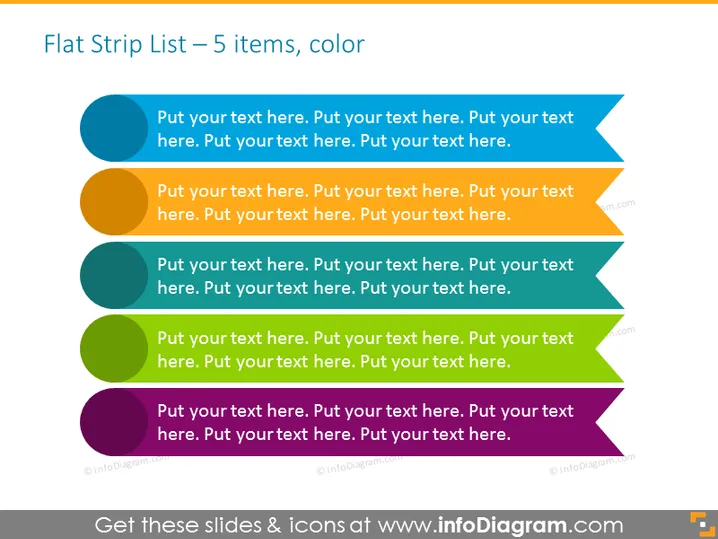
Flat Strip List – 5 items, color
Slide Content
The slide is designed to present a list of five items, each associated with a different color. The items are intended for custom text, allowing the presenter to expand on various points, concepts, or steps in their presentation. The template is flexible and suitable for various topics, such as outlining a project's phases, listing product features, or presenting sequential tasks within a workflow.
Graphical Look
- The title of the slide is "Flat Strip List – 5 items, color," centered at the top in bold black font.
- Five horizontal strips stretch across the slide, each with a distinct color: dark blue, orange, light blue, green, and purple.
- Each colored strip features a circular bullet point on the left, matching the color of the strip.
- On the right side of each strip, there is a directional arrowhead in a shade slightly darker than the strip's primary color.
- Each strip contains placeholder text in black, starting with "Put your text here."
The slide has a clean and modern look, with a flat design aesthetic. The use of distinct colors for each item makes the information stand out and easy to differentiate.
Use Cases
- To outline different stages of a project or process flow in a business presentation.
- As an agenda slide to summarize the main points or topics that will be covered during a meeting.
- To list and describe the unique selling points or features of a product in a sales pitch.
- For educational purposes to display key concepts or steps in a lecture or workshop.
How to Edit
How to edit text & colors

How to expand / shorten diagram

How to Replace Icons in infoDiagram PPT


