Reviews
Your graphics add a nice touch to my presentations and I recently used them for one of my all-hands meetings. Your toolbox adds professionalism to my slides. Instead of using standard clipart.
I needed a fresh look at some of my slides. I've tried to find a way to create a paintbrush effect, to underline, accentuate, add some color and the handwritten markers were just the things. Very easy to use, easy to size, change the color. It was an affordable, perfect solution and I'm happy to recommend it.
The crisp, clean look of the graphics, and the fact that it allowed me to easily edit and change the colors to match the template was my main reason for purchasing them.
Description
Work related needs icons
Slide Content
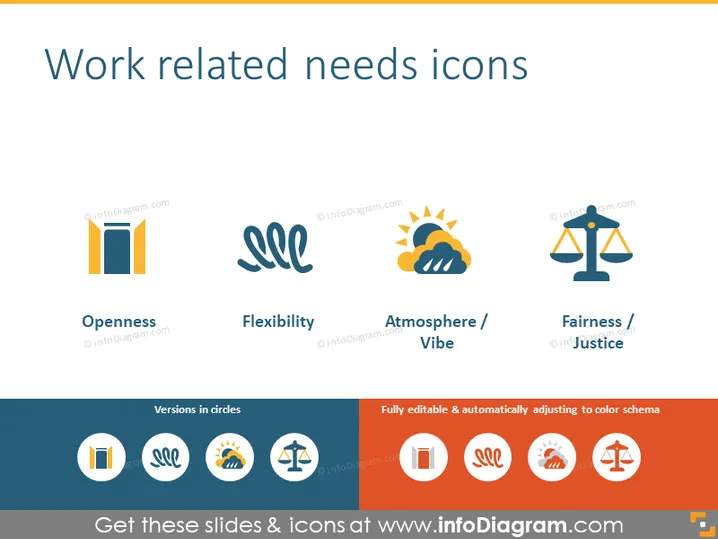
The slide presents a series of icons representing various work-related needs. Openness is illustrated by a graphic showing an open door suggesting approachability or transparency. Flexibility is conveyed with a dynamic, curved line icon denoting adaptability or willingness to change. The icon for Atmosphere/Vibe depicts part sun and clouds indicating the general mood or culture. Lastly, Fairness/Justice is represented by a balanced scale symbolizing equity or impartiality.
Graphical Look
- The slide background is white, providing a clean and neutral canvas for the content.
- The title "Work related needs icons" is bold and centered at the top of the slide, in a large, dark font.
- Four icons are equally spaced horizontally across the slide, each associated with a descriptive label below it.
- Each icon and label pair has a stylized flat design, using a simple yet informative style.
- The icons are depicted in a color palette of orange, dark blue, and light blue, contributing to a professional and pleasant visual appeal.
- Below the main icons, there are smaller, circular versions of the same icons with a different background design.
- A text label "Fully editable & automatically adjusting to color schema" indicates the customizable nature of the icons, placed in the lower right corner above the footer.
- The footer is colored in a dark blue shade, which adds a contrasting base to the slide.
The slide has a modern and professional appearance with a straightforward layout that emphasizes the icons and their meanings. The color choices and flat icon design enhance the visual attraction of the information being conveyed.
Use Cases
- Explaining company values or principles related to workplace culture during internal meetings.
- Illustrating key aspects of a job position or organizational environment in recruitment presentations.
- Highlighting areas for improvement or focus in employee training and development sessions.
- Incorporating into discussions about organizational behavior or HR policy changes with stakeholders.
How to Edit
How to edit text & colors

How to expand / shorten diagram

How to Replace Icons in infoDiagram PPT


