

Your graphics add a nice touch to my presentations and I recently used them for one of my all-hands meetings. Your toolbox adds professionalism to my slides. Instead of using standard clipart.
Claude Jones, Director of Engineer, @Walmartlabs, USA

Your graphics add a nice touch to my presentations and I recently used them for one of my all-hands meetings. Your toolbox adds professionalism to my slides. Instead of using standard clipart.
Claude Jones, Director of Engineer, @Walmartlabs, USA
I needed a fresh look at some of my slides. I've tried to find a way to create a paintbrush effect, to underline, accentuate, add some color and the handwritten markers were just the things. Very easy to use, easy to size, change the color. It was an affordable, perfect solution and I'm happy to recommend it.
Anonymous, US
The crisp, clean look of the graphics, and the fact that it allowed me to easily edit and change the colors to match the template was my main reason for purchasing them.
Brandie Jenkins, E-learning Developer, USA
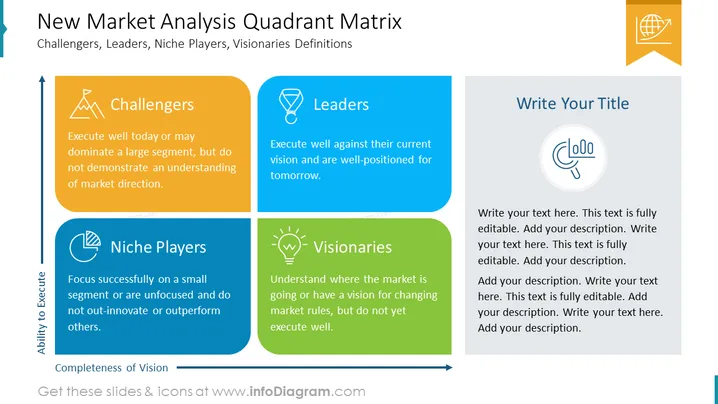
The PowerPoint slide presents a "New Market Analysis Quadrant Matrix" detailing four types of players in a market: Challengers, Leaders, Niche Players, and Visionaries. Challengers are described as those who may execute well today or dominate a large segment but lack an understanding of market direction. Leaders execute well against their current vision and are positioned for future success. Niche Players focus on small segments or may be unfocused and unable to outperform others. Visionaries comprehend the market's direction or have a vision to change market rules but have not yet executed well.
The overall look is clean and well-organized, using color to distinguish between the categories and simple icons to visually represent them.



