Reviews
Ihre Grafiken verleihen meinen Präsentationen eine nette Note, und ich habe sie kürzlich für eines meiner All-Hands-Meetings verwendet. Ihre Toolbox verleiht meinen Folien Professionalität, anstatt Standard-Clipart zu verwenden.
Ich brauchte einen neuen Blick auf einige meiner Folien. Ich habe versucht, einen Weg zu finden, einen Pinselschlag-Effekt zu erzielen, um zu unterstreichen, hervorzuheben, Farbe hinzuzufügen, und die handgeschriebenen Markierungen waren genau das Richtige. Sehr einfach zu bedienen, leicht in der Größe zu ändern, die Farbe zu ändern. Es war eine erschwingliche, perfekte Lösung und ich empfehle sie gerne weiter.
Die klare, saubere Optik der Grafiken und die Tatsache, dass ich die Farben leicht bearbeiten und an die Vorlage anpassen konnte, war mein Hauptgrund für den Kauf.
Description
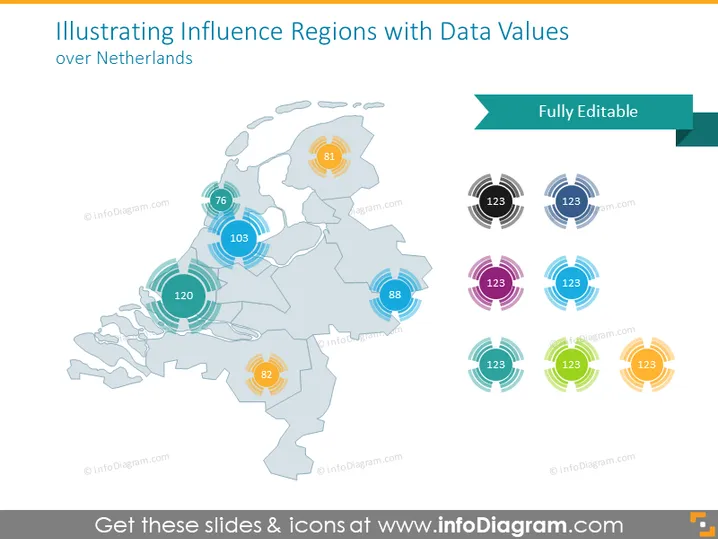
Illustrating Influence Regions with Data Values over Netherlands
Slide Content
The slide displays a map of the Netherlands accompanied by data values that represent influence regions. Each region is highlighted with a circular graphic and a number inside, suggesting some kind of quantifiable metric. This could denote various regional data such as population, sales volume, or any other measurable statistic. The presence of multiple colors for the circular graphics indicates that different categories or types of data might be represented on this slide.
Graphical Look
- A light grey map of the Netherlands serves as the central visual element.
- Circular graphics with varying colors blue, purple, yellow, and green indicate different regions or data points.
- Each circular graphic contains a white numeric value, suggesting these are quantitative data points.
- The numbers within the circles vary, indicating differing values for each region or category.
- Above the map, there is a dark green, rectangular shape containing the words "Fully Editable".
The slide has a clean, professional aesthetic with a color palette that is pleasing to the eye and not overwhelming. The design is clear, using both color and numerical data to present information effectively.
Use Cases
- To show sales figures for different regions in the Netherlands during a business presentation.
- To present demographic data by region for use in marketing strategy discussions.
- To illustrate election results or polling data during a political analysis briefing.
- To report regional performance metrics, such as customer satisfaction or service coverage, during a company meeting.
How to Edit
How to edit text & colors

How to expand / shorten diagram

How to Replace Icons in infoDiagram PPT


