Reviews
Your graphics add a nice touch to my presentations and I recently used them for one of my all-hands meetings. Your toolbox adds professionalism to my slides. Instead of using standard clipart.
I needed a fresh look at some of my slides. I've tried to find a way to create a paintbrush effect, to underline, accentuate, add some color and the handwritten markers were just the things. Very easy to use, easy to size, change the color. It was an affordable, perfect solution and I'm happy to recommend it.
The crisp, clean look of the graphics, and the fact that it allowed me to easily edit and change the colors to match the template was my main reason for purchasing them.
Description
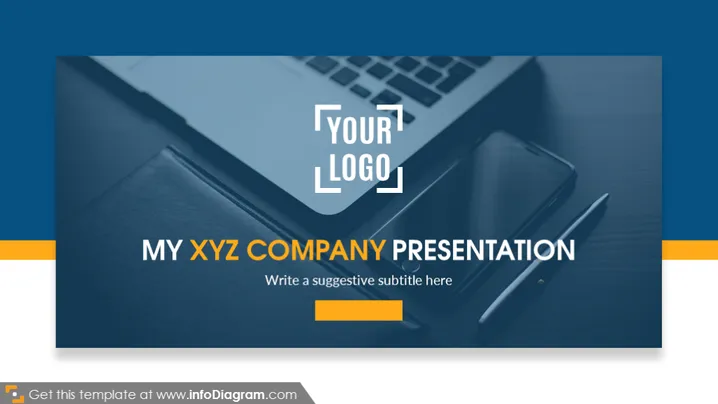
MY XYZ COMPANY PRESENTATION
Slide Content
The slide introduces a company presentation with a customizable title "MY XYZ COMPANY PRESENTATION," implying the presentation is tailored for a specific company named 'XYZ.' Below the title is a placeholder for a subtitle that suggests the presenter can add a more detailed description or the subject of the presentation. The top left corner features a transparent placeholder for the company's logo, indicating branding personalization for the presentation.
Graphical Look
- A large, diagonal, translucent blue overlay covers the majority of the slide, providing an area for text content.
- The background image shows a high-angle photo of a desk with a laptop, a closed notebook, and a stylus pen, suggesting a professional or business context.
- There is a white text box with the title "MY XYZ COMPANY PRESENTATION" prominently displayed in a bold, sans-serif font.
- A smaller text box below the title reads "Write a suggestive subtitle here," in a lighter sans-serif font.
- In the top left corner, a placeholder with the text "YOUR LOGO" indicates where a custom logo can be inserted.
- A decorative, color-coordinated bar on the bottom left corner complements the overall color scheme.
The overall look of the slide is clean, modern, and professional. It features a commanding use of space for text against a visually appealing background that does not distract from the main content.
Use Cases
- As an opening slide for corporate presentations to introduce the company and the topic of discussion.
- To brand individual slides in a business presentation with a company logo for consistent company representation.
- For a visually engaging title slide in a sales pitch or partner meeting to set a professional tone.
- To be used as a template for different departments within a company to create uniformity in internal presentations.
How to Edit
How to edit text & colors

How to expand / shorten diagram

How to Replace Icons in infoDiagram PPT


