Reviews
Your graphics add a nice touch to my presentations and I recently used them for one of my all-hands meetings. Your toolbox adds professionalism to my slides. Instead of using standard clipart.
I needed a fresh look at some of my slides. I've tried to find a way to create a paintbrush effect, to underline, accentuate, add some color and the handwritten markers were just the things. Very easy to use, easy to size, change the color. It was an affordable, perfect solution and I'm happy to recommend it.
The crisp, clean look of the graphics, and the fact that it allowed me to easily edit and change the colors to match the template was my main reason for purchasing them.
Description
Music symbols
Slide Content
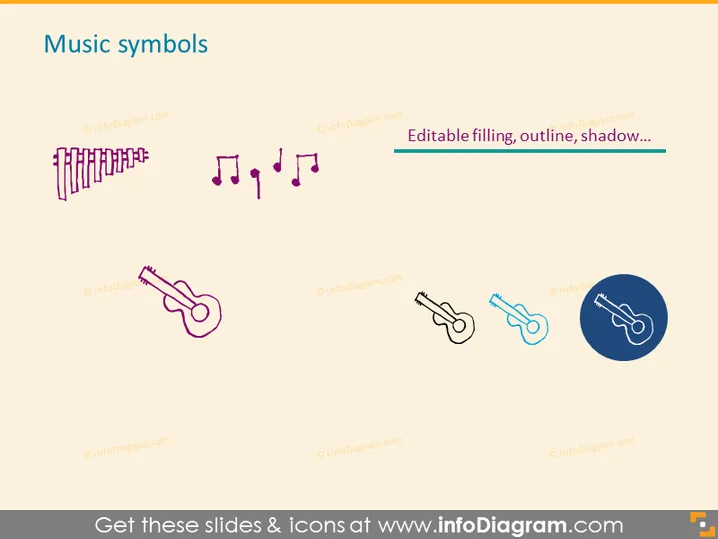
The slide titled 'Music symbols' appears to showcase a selection of graphical icons related to music. These icons include a variety of musical notes and instruments, indicating that the slide is likely used for representations concerning music theory, sound design, or audio-related topics in a presentation. The mention of 'Editable filling, outline, shadow...' suggests that these icons can be customized to fit the presenter's visual preferences or to match a specific presentation theme.
Graphical Look
- A large, bold title "Music symbols" is centered at the top of the slide in a sans-serif font.
- There are four sets of music-related icons evenly distributed across the slide.
- The first set consists of pan flute pipes with multiple vertical lines and small rectangles, creating a graphical representation of a pan flute.
- The second set features three music notes: two eighth notes and a singular quarter note, exemplifying musical notation.
- The third icon is a stylized pink guitar, simplified to highlight its body, neck, and headstock.
- The fourth set includes two smaller guitar icons side by side, one in blue with a faint shadow, replicating the earlier guitar with less detail.
- The final graphical object is a guitar icon within a dark blue circle, presenting a more prominent shadow effect, likely to emphasize its adjustable nature.
The slide has a clean and modern aesthetic with a minimalist design emphasis. Icons are two-dimensional with limited use of shadow for depth, and the color palette is largely pastel with the exception of the dark blue circle.
Use Cases
- To visually communicate topics related to music in educational presentations.
- As part of a cultural or historical overview when discussing the development of musical instruments or symbolic notation.
- In marketing materials for music software or apps to highlight features or tools available within the product.
- During creative brainstorming sessions to inspire discussions around audio branding or sound design in products.
How to Edit
How to edit text & colors

How to expand / shorten diagram

How to Replace Icons in infoDiagram PPT


