Reviews
Ihre Grafiken verleihen meinen Präsentationen eine nette Note, und ich habe sie kürzlich für eines meiner All-Hands-Meetings verwendet. Ihre Toolbox verleiht meinen Folien Professionalität, anstatt Standard-Clipart zu verwenden.
Ich brauchte einen neuen Blick auf einige meiner Folien. Ich habe versucht, einen Weg zu finden, einen Pinselschlag-Effekt zu erzielen, um zu unterstreichen, hervorzuheben, Farbe hinzuzufügen, und die handgeschriebenen Markierungen waren genau das Richtige. Sehr einfach zu bedienen, leicht in der Größe zu ändern, die Farbe zu ändern. Es war eine erschwingliche, perfekte Lösung und ich empfehle sie gerne weiter.
Die klare, saubere Optik der Grafiken und die Tatsache, dass ich die Farben leicht bearbeiten und an die Vorlage anpassen konnte, war mein Hauptgrund für den Kauf.
Description
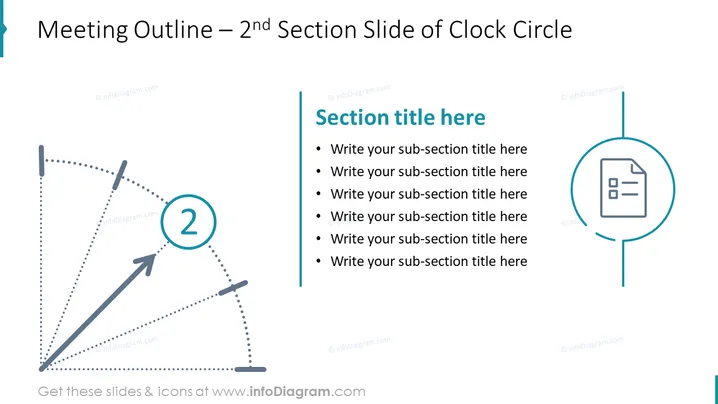
Meeting Outline – 2nd Section Slide of Clock Circle
Slide Content
The slide seems to portray a part of a larger presentation, specifically the 2nd section outline within a series that follows a "Clock Circle" theme. It includes a designated place to insert a section title and a bullet list where sub-section titles can be added by the presenter for an organized breakdown of the topics to be discussed. This structure helps to keep the meeting focused and provides an easy-to-follow progression for the participants.
Graphical Look
- A large, bold slide title at the top left corner in a larger font.
- A dotted circular diagram spans from the left side to the center, representing a clockwise movement, with an arrow leading to a numbered circle labeled "2."
- An outlined rectangular box to the right with a placeholder text "Section title here," followed by a bulleted list for adding sub-section titles.
- A round icon with a document symbol beside the bulleted list, aligned to the right, match the circular theme of the slide.
The slide employs a clean and corporate aesthetic, utilizing shades of blue, gray, and light turquoise to create a professional look. The dotted lines and circular shapes suggest a flow and sequential progression, suitable for presenting a structured agenda or outline.
Use Cases
- Presenting the agenda for a specific segment within a larger meeting or workshop.
- Detailing the sequence of topics to be covered in a training session or course module.
- Summarizing the key points of a project update or status report.
- Organizing the flow of a conference or seminar outline, indicating the second major section of the event.
How to Edit
How to edit text & colors

How to expand / shorten diagram

How to Replace Icons in infoDiagram PPT


