Reviews
Your graphics add a nice touch to my presentations and I recently used them for one of my all-hands meetings. Your toolbox adds professionalism to my slides. Instead of using standard clipart.
I needed a fresh look at some of my slides. I've tried to find a way to create a paintbrush effect, to underline, accentuate, add some color and the handwritten markers were just the things. Very easy to use, easy to size, change the color. It was an affordable, perfect solution and I'm happy to recommend it.
The crisp, clean look of the graphics, and the fact that it allowed me to easily edit and change the colors to match the template was my main reason for purchasing them.
Description
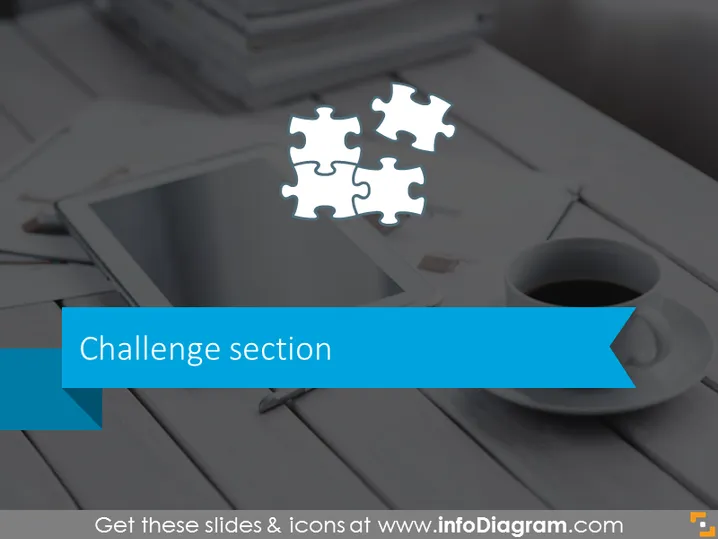
Challenge section
Slide Content
The slide is titled "Challenge section" which suggests it is focused on presenting the challenges faced in a certain context or project. The use of a puzzle piece graphic symbolizes that there are different elements which need to come together to complete a task, solve a problem, or address a challenge. This imagery is frequently used to represent the idea that all parts need to fit perfectly to achieve success, emphasizing the need for careful consideration and strategizing.
Graphical Look
- Background of the slide depicts a desaturated photographic image that includes a tablet, stylus, cup of coffee, and a part of a notebook, suggesting a professional or creative work setting.
- Over the image, there are four interconnected puzzle pieces, centered towards the top; three are white and one is transparent, possibly representing missing or incomplete information or a piece of the challenge yet to be solved.
- The title "Challenge section" is written in a large, bold sans-serif font, set against a ribbon banner-style shape with a solid blue color, giving it a prominent presence on the slide.
- The ribbon banner has a folded arrow effect on the right end, adding a dynamic and modern look to the title area.
The overall look is professional and modern, with a clear focus on the central theme of challenges. The choice of imagery and color creates a business-like atmosphere suitable for corporate presentations.
Use Cases
- To introduce the challenge phase of a project during a project management presentation.
- In problem-solving workshops where identifying and discussing key challenges is required.
- When setting the stage for a case study that focuses on obstacles faced by a business or organization.
- To prompt discussion in strategy meetings about hurdles that must be overcome for success.
How to Edit
How to edit text & colors

How to expand / shorten diagram

How to Replace Icons in infoDiagram PPT


