

Your graphics add a nice touch to my presentations and I recently used them for one of my all-hands meetings. Your toolbox adds professionalism to my slides. Instead of using standard clipart.
Claude Jones, Director of Engineer, @Walmartlabs, USA

Your graphics add a nice touch to my presentations and I recently used them for one of my all-hands meetings. Your toolbox adds professionalism to my slides. Instead of using standard clipart.
Claude Jones, Director of Engineer, @Walmartlabs, USA
I needed a fresh look at some of my slides. I've tried to find a way to create a paintbrush effect, to underline, accentuate, add some color and the handwritten markers were just the things. Very easy to use, easy to size, change the color. It was an affordable, perfect solution and I'm happy to recommend it.
Anonymous, US
The crisp, clean look of the graphics, and the fact that it allowed me to easily edit and change the colors to match the template was my main reason for purchasing them.
Brandie Jenkins, E-learning Developer, USA
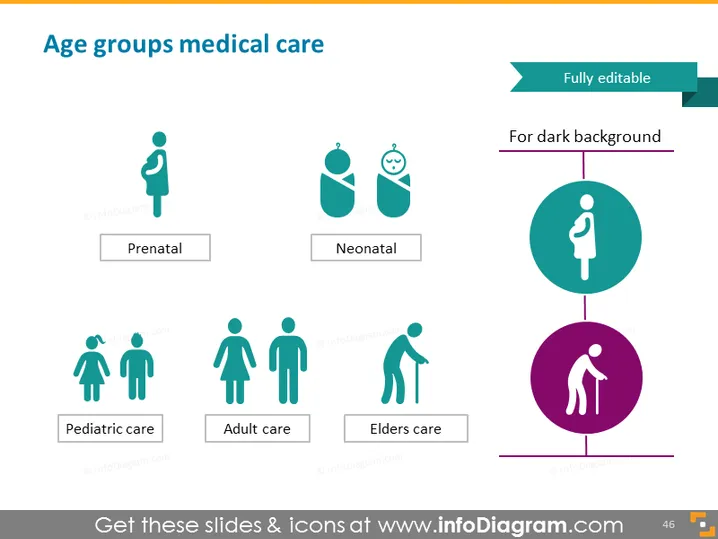
The PowerPoint slide titled "Age groups medical care" distinguishes between different medical care stages based on age. Prenatal care refers to the health services provided to women and their fetuses during pregnancy. Neonatal care is the specialized care for newborn babies, particularly in the first few weeks after birth. Pediatric care denotes the medical treatment and services given to children and adolescents. Adult care covers the broad range of medical services aimed at adult populations. Elders care, also known as geriatric care, focuses on the health needs of elderly individuals.
The slide has a clean and professional look with a clear segmentation of care stages through simple, descriptive icons. The use of consistent color and clear typography enhances readability and aesthetic appeal.



