

Your graphics add a nice touch to my presentations and I recently used them for one of my all-hands meetings. Your toolbox adds professionalism to my slides. Instead of using standard clipart.
Claude Jones, Director of Engineer, @Walmartlabs, USA

Your graphics add a nice touch to my presentations and I recently used them for one of my all-hands meetings. Your toolbox adds professionalism to my slides. Instead of using standard clipart.
Claude Jones, Director of Engineer, @Walmartlabs, USA
I needed a fresh look at some of my slides. I've tried to find a way to create a paintbrush effect, to underline, accentuate, add some color and the handwritten markers were just the things. Very easy to use, easy to size, change the color. It was an affordable, perfect solution and I'm happy to recommend it.
Anonymous, US
The crisp, clean look of the graphics, and the fact that it allowed me to easily edit and change the colors to match the template was my main reason for purchasing them.
Brandie Jenkins, E-learning Developer, USA
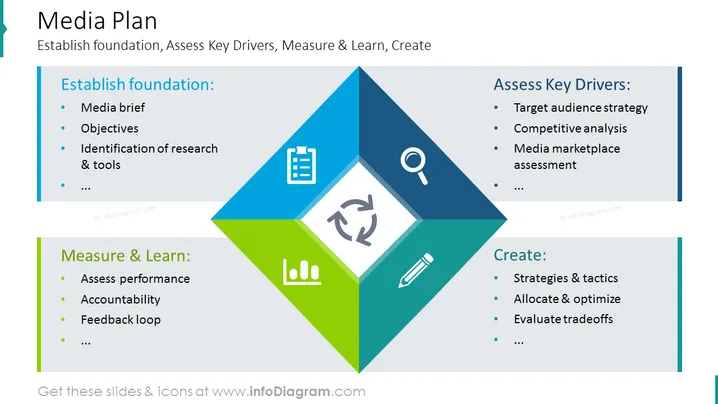
The slide titled "Media Plan" outlines a structured approach to creating a media strategy, with four main areas: establishing a foundation, assessing key drivers, measuring and learning, and creating. "Establish foundation" includes forming a media brief, setting objectives, and identifying research and tools. "Assess Key Drivers" involves target audience strategy, competitive analysis, and media marketplace assessment. "Measure & Learn" focuses on assessing performance, ensuring accountability, and facilitating a feedback loop. Lastly, "Create" is about developing strategies and tactics, allocating and optimizing resources, and evaluating tradeoffs.
The slide has a balanced, professional layout with a clear visual hierarchy, using color coding to differentiate between topics and icons to visually summarize each section's focus.



