Reviews
Sus gráficos añaden un toque agradable a mis presentaciones y recientemente los usé para una de mis reuniones generales. Su conjunto de herramientas añade profesionalismo a mis diapositivas. En lugar de usar imágenes prediseñadas estándar.
Necesitaba un aspecto fresco para algunas de mis diapositivas. Había intentado encontrar una forma de crear un efecto de pincel, de subrayar, acentuar, añadir algo de color y los marcadores escritos a mano fueron justo lo que necesitaba. Muy fácil de usar, fácil de ajustar el tamaño, cambiar el color. Fue una solución asequible y perfecta, y estoy feliz de recomendarla.
El aspecto nítido y limpio de los gráficos, y el hecho de que me permitiera editar y cambiar fácilmente los colores para que coincidieran con la plantilla fue mi principal razón para comprarlos.
Description
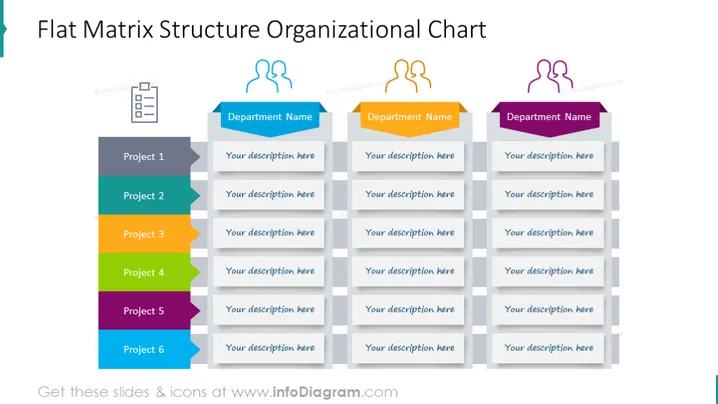
Flat Matrix Structure Organizational Chart
Slide Content
The slide displays a "Flat Matrix Structure Organizational Chart," which is used typically in businesses to illustrate a non-hierarchical, cross-functional management system. Each project, identified as Project 1 through Project 6, is represented by colored tabs on the left. These projects correspond to three department names at the top, each with placeholder text for additional descriptions. This structure emphasizes collaboration and team-oriented decision-making by linking multiple projects and departments.
Graphical Look
- Three color-coded department headers, each with an icon and a field for the department name.
- Six rows labeled Project 1 to Project 6 on vertical rectangular tabs, each with a unique color.
- Each project tab has a corresponding description text box greyed out to signify a placeholder for actual content.
- The slide's background is plain white, focusing attention on the colored elements.
- The overall layout is grid-based with three columns, maintaining a clean and organized appearance.
The slide has a professional and simplistic design, utilizing colors to differentiate between projects and departments. Icons are minimalistic, contributing to the overall clarity and straightforward nature of the presentation.
Use Cases
- To present the structure of an organization during an internal meeting to demonstrate reporting lines and departmental relationships.
- When introducing a new company division or project plan to give stakeholders an overview of team dynamics and project ownership.
- In training sessions for new employees to help them understand the organizational matrix and their roles within it.
- During management and team building retreats to facilitate discussions about workflow, collaboration, and cross-functional teamwork dynamics.
How to Edit
How to edit text & colors

How to expand / shorten diagram

How to Replace Icons in infoDiagram PPT


